JOHNSON CONTROLS
9
FORM 100.50-SU8
ISSUE DATE:1/28/2016
2
SECTION 2 - CONNECTING BAS TO A SERIES 100/YPAL UNIT WITH
THE IPU CONTROLLER
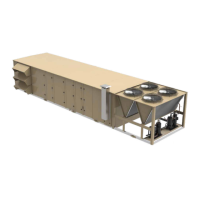
A Series 100/YPAL rooftop unit with the IPU control-
ler ships from the factory ready to connect and com-
municate with a Building Automation System utilizing
BACnet MS/TP protocol.
The S100/YPAL unit can also communicate via BAC-
net IP, LON or N2 with the addition of a field provided/
installed component.
BACNET MS/TP
• Communication wires MUST be connected to
Port 1 using only terminals 3 and 4. Connecting
wires to any of the other terminals could result in
erratic or no communication. (See Figure 1)
a. Terminal 3: Receive (+)
b. Terminal 4: Transmit (-)
• MAC address can be set using dip switch SW2 or
in the Service Key. Preferred method is through
the Service Key. This prevents someone acciden-
tally hitting a dipswitch key and changing the
MAC address
• Using the Service Key to set the MAC address
a. Press the Service Key on the keyboard
b. Enter the level 2 password, 9725 and press
the checkmark
c. The screen should display “Data Log For-
mat”. If not, press the Service key again, and
“Data Log Format” should appear
d. Use the UP arrow to scroll up through the
menu until the screen displays “P1 Stop Bits
=1”
e. This is the part of the menu for Port 1
f. Press the UP arrow again to “P1 Protocol”
Should be set to BACnet
g. Use the UP arrow again until the screen dis-
plays “P1 Manual Mac Address”. If the val-
ue is set to -1, the unit address is set by the
dipswitches. Press the checkmark key and
enter the MAC address for the unit using the
numbered section of the keypad, then press
the checkmark to accept this value
h. Use the UP arrow again to find the “P1 Baud
Rate” Set this value to the required Baud
Rate.
i. Press the “X” key on the keypad to exit the
programming menu
j. Cycle main power OFF then ON for new val-
ues to be locked in.
• The S100 unit is now ready to communicate to
the BAS
BACNET IP
• Since the IPU controller does not have a function-
al IP port, a gateway must be used.
• We recommend using a JCI NCE (MS-
NCE2560-0)
• The gateway will be connected to Port 1 on the
IPU controller like above (See Figure 1 on page
10)


 To Next Page
 Loading...