3
YORK, A Johnson Controls Company (8
72,=
67822,,,@,+@@,B,=@,22,9=
2=32,3=;3,9@>#=9=,2?23,9?,+B
@+37=2=,2,2B3=32?,@3/>
678=,=,,23@,=?2W3=;3,9
=9,9232+;3,W;+<43=2>'9#4,+
,=,22,94,724,9@@,;422?3>
72,=+
The drive detects error situations and reports them using:
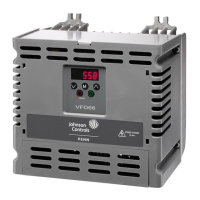
• The green and red LED on the body of the drive
• The status LED on the control panel (if the HVAC control panel is attached to the
drive)
• The control panel display (if the HVAC control panel is attached to the drive)
• The Fault Word and Alarm Word parameter bits (parameters 0305 to 0309). See
"Group 03: Actual Signals" on page 55.
The form of the display depends on the severity of the error. You can specify the
severity for many errors by directing the drive to:
• Ignore the error situation.
• Report the situation as an alarm.
• Report the situation as a fault.
!3h\,
The drive signals that it has detected a severe error, or fault, by:
• Enabling the red LED on the drive (LED is either steady on or blinking).
• Setting an appropriate bit in a Fault Word parameter (0305 to 0307).
• Overriding the control panel display with the display of a fault code.
• Stopping the motor (if it was on).
The fault code on the control panel display is temporary. Pressing any of the
following buttons removes the fault message: MENU, ENTER, UP button or DOWN
button. The message reappears after a few seconds if the control panel is not
touched and the fault is still active.



 To Next Page
 Loading...