Mode Model Temperature setting Airflow rate
AUTO COOLING 25 ( COOL,FAN) AUTO
AUTO HEAT
℃
℃
℃
PUMP 25 ( COOL,FAN) AUTO
AUTO HEAT PUMP 20 ( HEAT) AUTO
13
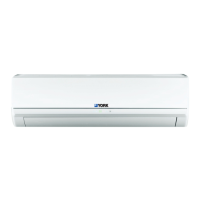
Emergency Operation
When the remote controller is lost or damaged,
please use the manual switch on the main unit.
In that case, the unit will operate in AUTO mode
and the temperature setting or fan speed can not
be changed.
The manual switch can be operated as below:
Turn on the unit: Press AUTO/STOP button to
enter AUTO mode.
The microcomputer will select the mode
(COOL, HEAT, FAN) automatically according
to the room temperature for reaching comfortable
effect.
Turn off the unit: Press the AUTO/STOP button to
switch off the unit.
Emergency Operation
●
●
Manual switch
The operation mode is seen in the following table.
●
This switch is to be applied when the remote controller is missing.
●


 To Next Page
 Loading...