By tapping on the total distance tracker, it will enter the history of
that activity. You can also view history data by Day, Week and
Month.
Mine – This is where the user profile is managed.
User Profile – This function is used to set up the user details to
help track data. This data is also used for the My Health Rating
data to calculate steps and calories burnt.
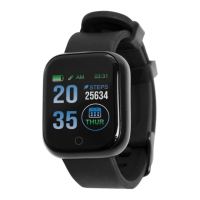
Basic Device Functions: JOLT6SM2
Steps Menu:
Tracks steps taken for the day including distance travelled.
BPM Menu:
Tracks heart rate and shows last reading completed. Also reads
blood oxygen levels and blood pressure. To update readings,
press and hold the front button. History data can be found in the
connected app in the “Home” menu tab.
Sports Menu:
Tap through the activities running, skipping, and sit-ups. Press
and hold the activity to activate. To end the activity press and hold
the front button. History data can be found in the connected app
in the “Home” menu tab.


 To Next Page
 Loading...