
 Need help?
Do you have a question about the JONARD TOOLS FPM-50 and is the answer not in the manual?
Turn on the meter, switch wavelengths, connect to light source, and view measurements in dB and mw.
Measure reference power, store it as a reference value, then test a new cable to observe loss.
Allows manual calibration by adjusting offset using light and dB buttons, then saving with ON/OFF.
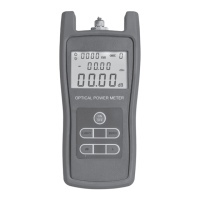
The FPM-50 is an intelligent fiber optic power meter designed for ease of use in various fiber optic network applications. It is capable of performing both absolute and relative power measurements with high precision across a wide range of wavelengths, making it an ideal tool for professionals working with fiber optics.
The primary function of the FPM-50 is to measure optical power in fiber optic networks. It can display measurements in both dBm (absolute power) and dB (relative power), providing comprehensive data for network analysis and troubleshooting. The device is designed to be intuitive, allowing users to quickly obtain accurate readings.
To perform an absolute power measurement, first, turn on the FPM-50. Then, press the "λ" key to cycle through and select the appropriate wavelength for your measurement. Once the wavelength is set, connect the FPM-50 to the light source you intend to measure. The measurement will then be displayed on the screen in both dBm and mW, providing a clear indication of the absolute optical power.
For relative power measurements, it is recommended to use a reference patchcord to ensure accuracy. Begin by turning on the FPM-50 and pressing the "λ" key to select the desired wavelength. Connect the reference patchcord to both the light source and the FPM-50. To minimize potential errors caused by movement, it is advisable to tape the patchcord to your working surface.
Once connected, turn on the light source and note the reference power level displayed on the FPM-50's screen in dBm and mW. Press the "dB" key to store this current power value as a reference. At this point, the meter will display the current absolute power, and the relative value will be set to 0 dB.
Next, disconnect the FPM-50 from the reference patchcord and insert the cable you wish to test between the reference patchcord and the meter. The FPM-50's display will then show the optical loss observed in the new cable being tested, providing a relative power measurement.
The FPM-50 includes a manual calibration function, allowing users to fine-tune the unit for specific measurement needs. When the unit is in normal operation mode, a "0" will be displayed in the upper right-hand corner of the LCD screen. To enter calibration mode, simultaneously press and release the "Light" and "dB" buttons. The "0" on the LCD will change to "1," indicating that the unit is now in calibration mode.
In this mode, you can add an offset to your measurements. Press the "Light" button to increase the reading by increments of 0.05 dB, or press the "dB" button to decrease the reading by 0.05 dB. Once you have set the desired offset, press the "ON/OFF" button to save the changes and exit calibration mode.
The FPM-50 is equipped with an auto-off feature to conserve battery life. This feature can be activated or deactivated by quickly pressing and releasing the "ON/OFF" button. When the auto-off feature is active, a circle with a line through it will appear in the upper left-hand corner of the LCD screen. To deactivate the feature, simply quickly press and release the "ON/OFF" button again.
The FPM-50 comes with a protective cover to shield it from potential damage during transport and use. Additionally, a cotton swab is included, likely for cleaning the optical port or adapters, ensuring optimal performance and accurate readings. The device is powered by three AA batteries, which are also included, making it ready for immediate use upon unboxing. The inclusion of FC and SC adapters further enhances its versatility, allowing connection to common fiber optic connectors. Regular cleaning of the optical interface with the provided swab or similar tools is crucial for maintaining the accuracy and longevity of the device.
 General
| Model | FPM-50 |
|---|---|
| Category | Measuring Instruments |
| Type | Fiber Optic Power Meter |
| Wavelengths | 850, 1300, 1310, 1490, 1550, 1625 nm |
| Detector Type | InGaAs |
| Resolution | 0.01 dB |
| Accuracy | ±0.2 dB |
| Calibration Wavelengths | 850, 1300, 1310, 1490, 1550, 1625 nm |
| Display | LCD |
| Battery Type | 2 x AA |
| Connector | 2.5 mm universal adapter |
| Operating Temperature | -10 to 50 °C |
| Storage Temperature | -20 to 60 °C |

 To Next Page