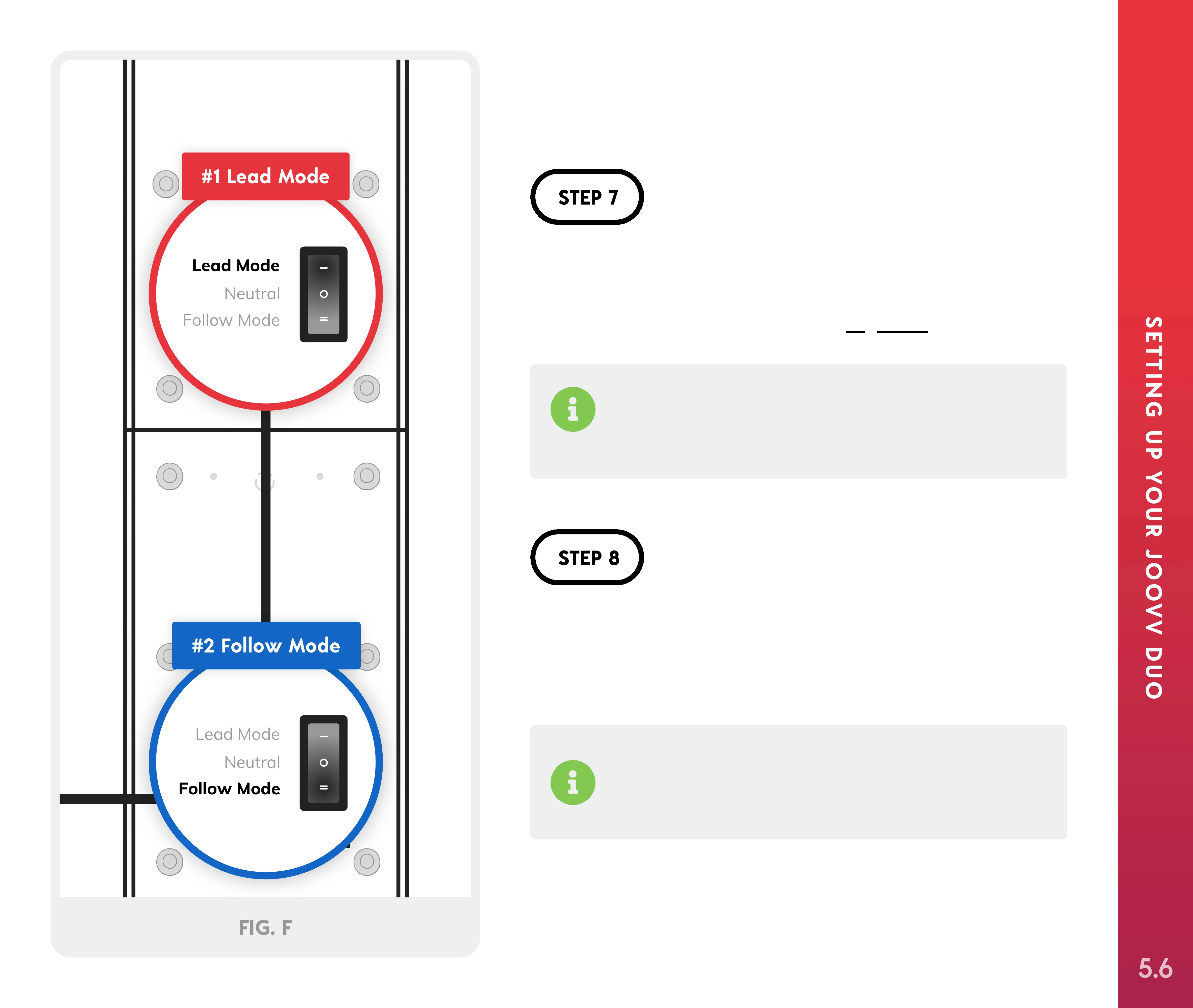
Locate the pairing switch on #1 and #2 Solos. Turn
the switch on #1 Solo to “Lead Mode” and to “Follow
Mode” on #2 Solo, as shown in Figure F.
If you don’t wish to connect your devices via
Bluetooth, follow the instructions included with the
Hardwire Pairing kit.
Connect the power cord from #2 Solo into a wall
outlet. Then, turn on the power switches on both
Solos and both Solos will pair automatically.
Follow devices will show “No” on the display until
successfully paired with a lead device. Once paired,
the display will change to ":".
Lead Mode
Neutral
Follow Mode
Lead Mode
Neutral
Follow Mode
#1 Lead Mode
#2 Follow Mode
FIG. F
(2 people required)
5.6



 To Next Page