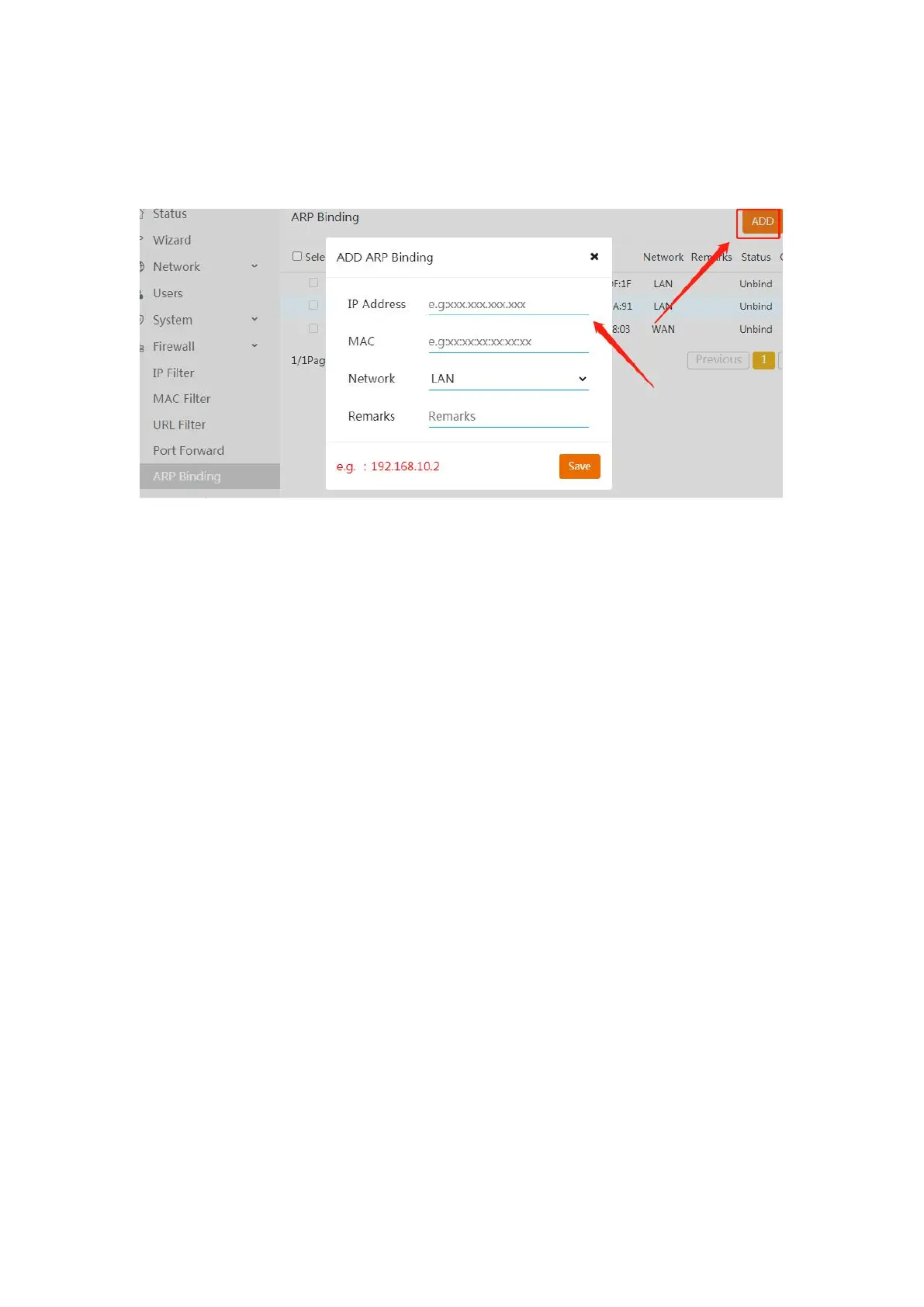
7. In router mode, the terminal device needs to have a fixed IP:
You can do ARP binding in the firewall. As below shows:
8. Cannot enter the background system:
What's mode you use?
1. Enter "192.168.10.1" to enter the menu interface when using "repeater mode".
2. Enter "192.168.1.x" (depends on the IP you set earlier) to enter the menu interface
when using "ap mode".
9. How to modify the network name:
You can change the WiFi name in "LAN-wireless"
About how to login the background system.
In “ap mode”:enter "192.168.1.x" (depends on the IP you set earlier in "LAN
settings-IP address" as photo shows) to enter the menu interface.
In “repeater mode”:enter “192.168.10.1” to enter the menu interface.
10. The signal light is off, and the signal range is not long:
The wifi signal light only be on in "repeater / bridge mode".
1. About your signal strength issue, it should be setup problem. You can try to adjust
the bandwidth to 20 and set the same channel.
2. Have you installed an antenna? The antenna will greatly enhance his signal usage
range.
3. At the same time, can you move the AP to a more open position after setting it up?
Because it is built for outdoor use, if it is used indoors, there will be some signal
reduction due to obstruction and interference.
4. if you use "repeater mode", recommended set way:In a good wifi signal
environment, extend "router's 5G band" and connect "AP‘s 2.4G band" with your
devices which will maximize the extender's performance. Since 2.4G band has a
better performance on through the obstacles and walls.


 To Next Page
 Loading...