Recommended set way:In a good wifi signal environment, extend "router's 5G band" and
connect "AP‘s 2.4G band" with your devices which will maximize the extender's performance.
Since 2.4G band has a better performance on through the obstacles and walls.
15. Why my “AP mode” works good while “repeater mode” set failed?
We guess maybe in “repeater mode”, some phone will enter "space bar" automatically or the first
letter of password that you entered is default capitalized which caused it not the same with your
router wifi. So the setting was failed. Please note your Input method status, distinguish the case
of the password. Please make sure your password has no spaces and special characters which will
cause setup failed.
Since the program were in error, we recommend that you reset the device first.
Reset method:
1. Unplug it and power it again, wait 60s.
2. Then press the reset hole by a slim stick for 10s till the blue lights are all off. (You will see the
blue lights flash on and off for 3-4 times when holding pressing, and then all are off)
3. Last, wait till the "JW-EW74" signal appears on your wifi list, now begin to set it.
16. Why my “repeater mode” set up failed?
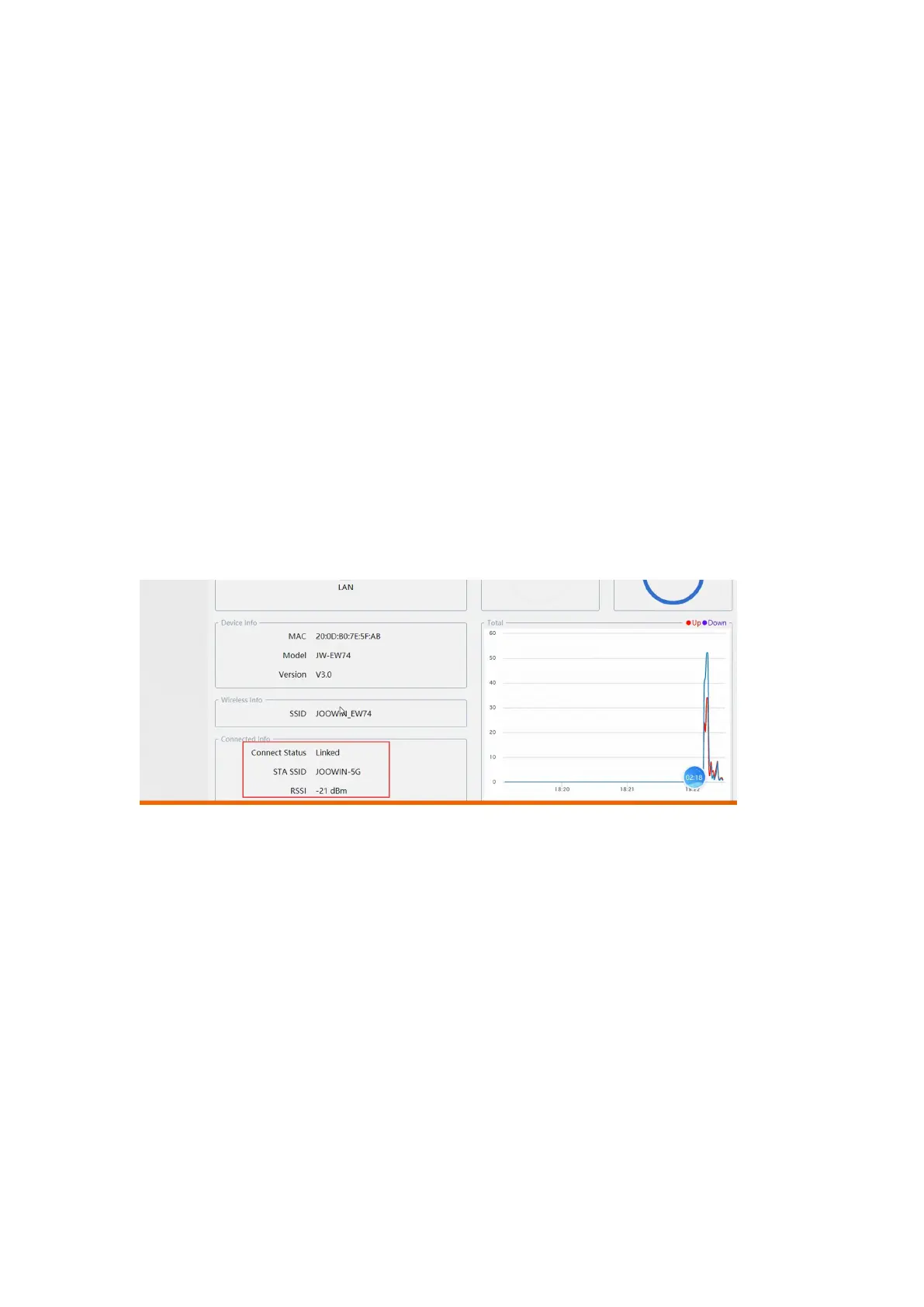
Please enter “192.168.10.1” to login the system and check the “connected info” as image shows.
It should be set up failed if it does not show “linked”.
Maybe in “repeater mode”, some phone will enter "space bar" automatically or the first letter of
password that you entered is default capitalized which caused it not the same with your upper
network wifi. So the setting was failed. Please note your Input method status, distinguish the
case of the password. Please make sure your password has no spaces and special characters
which will cause setup failed.
If the program were in error, we recommend that you reset the device first.
Reset method:
1. Unplug it and power it again, wait 60s.
2. Then press the reset hole by a slim stick for 10s till the blue lights are all off. (You will see the
blue lights flash on and off for 3-4 times when holding pressing, and then all are off)
3. Last, wait till the "JW-EW74" signal appears on your wifi list, now begin to set it.


 To Previous Page
 Loading...