3. SETUP OF THE DEVELOPMENT ENVIRONMENT
To program your Pro Micro you can use the Arduino IDE.
which you can download here.
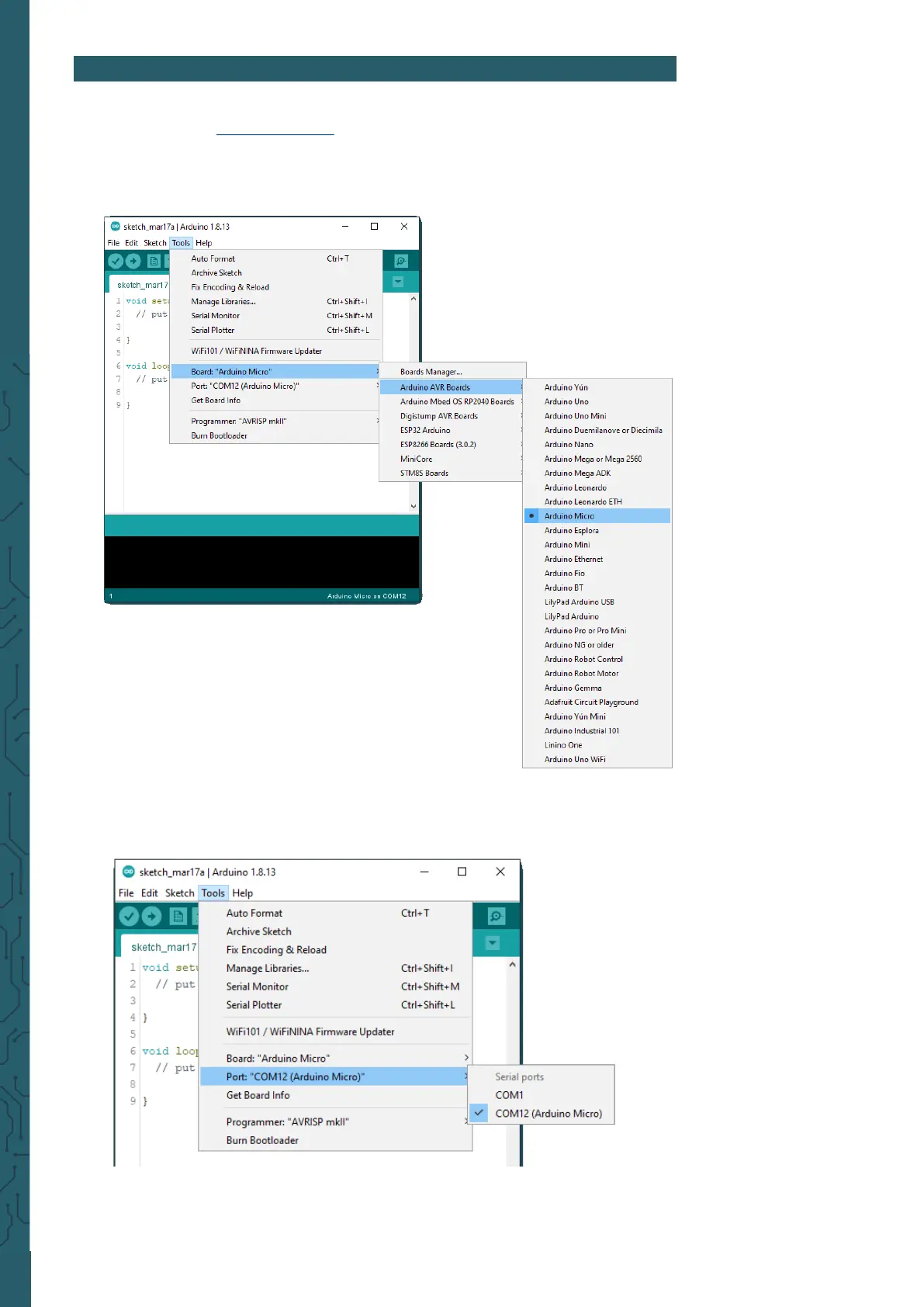
Now you can set your development environment, for this select under
Tools -> Board -> Arduino AVR Boards -> Arduino Micro.
Finally, you need to set the correct port to which your Pro Micro is
connected.
You can select this under Tools -> Port.
Note that the port will probably be dierent for you.



 To Next Page