7. SETTING OF THE MONITOR
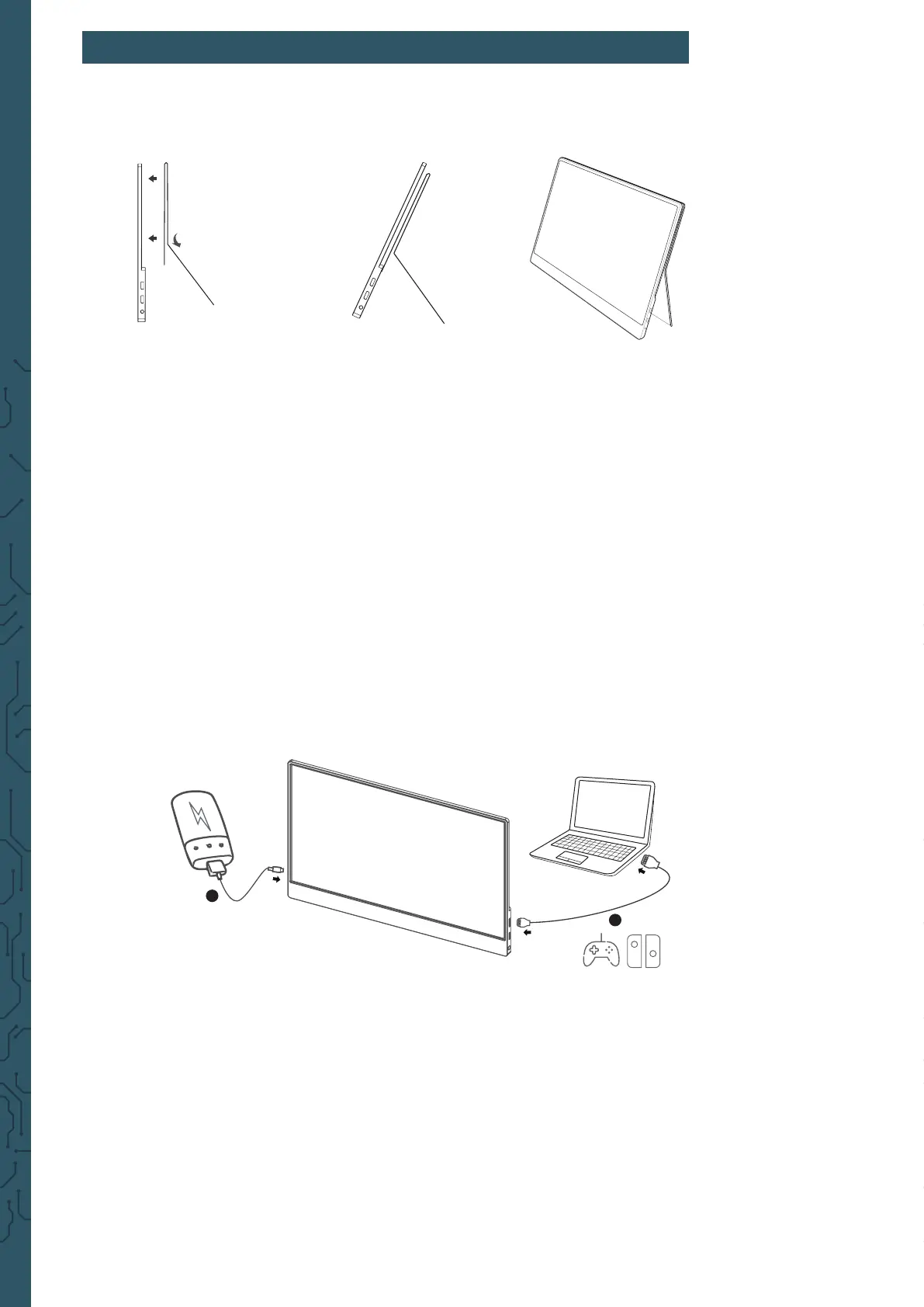
1. Attach the smart case to the monitor.
CAUTION:
You have to x the smart case proper to the horizontal lying monitor, other-
wise it may fall over or drop.
2. Connect the monitor with your device and connect to electricity.
Hereto, you can use dierent methods.
A
Connecting the monitor without Touchscreen
1. Connect the monitor to electricity with the power supply or
with a power bank via USB type-A to USB type-C.
2. Connect the monitor with your device using the HDMI Cable.
power supply
PD
Mini HDMI
HDMI
1
2
Devices with HDMI or mini-HDMI connection are for example PC,
Laptop, Raspberry Pi, Xbox One, Xbox 360, Macbook Pro, Nintendo
Switch, Playstation 3, Playstation 4 etc.



 To Next Page