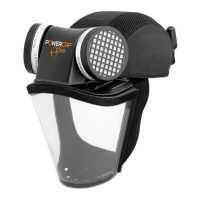
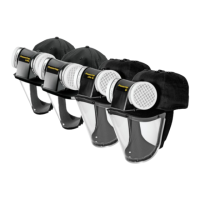
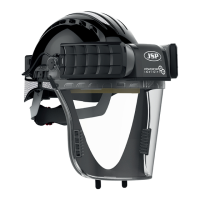
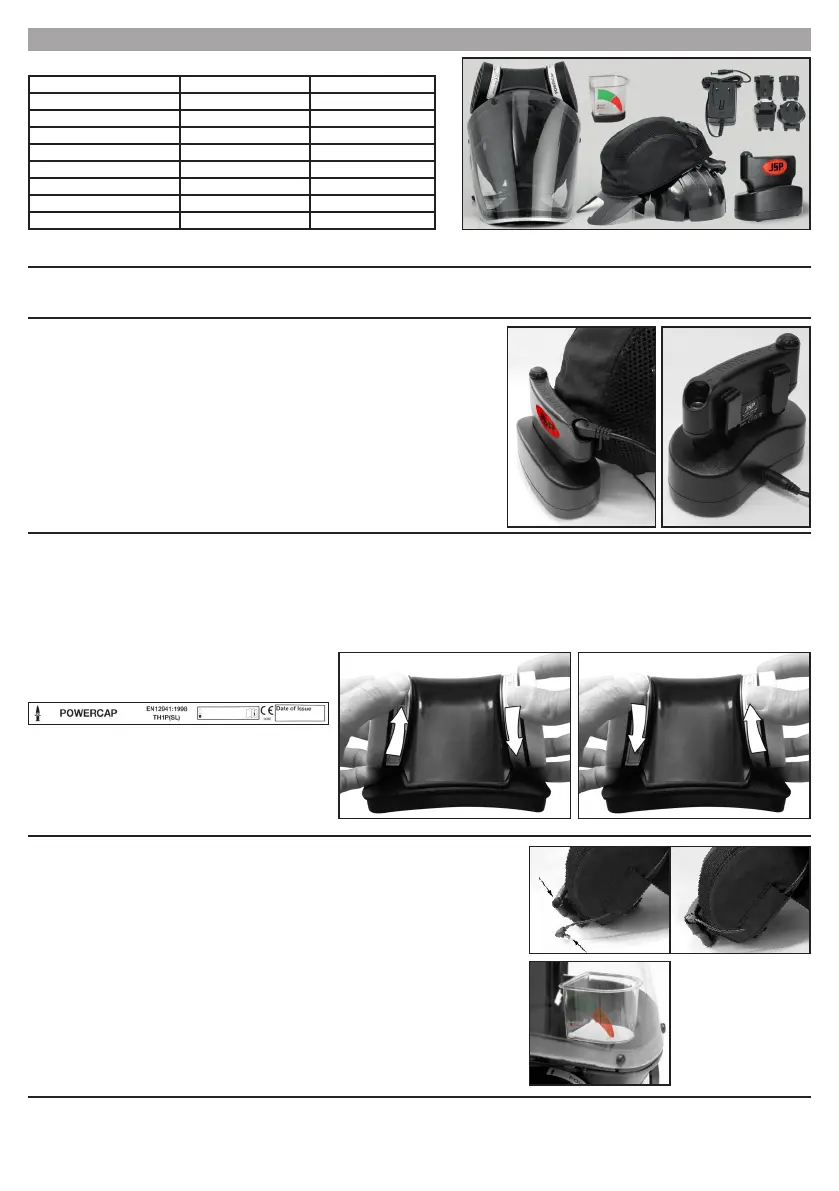
1. UNPACKING AND INSPECTION: The following items should all be within the carton:
2. STORAGE: When not in use or during transportation, PowerCap
®
Active™ should be stored in the packaging in which it was supplied. PowerCap
®
Active™ should be stored
away from direct sunlight, not in contact with solvents and in such a manner that it cannot be damaged by physical contact with hard surfaces. Storage temperature should be
between 5°C and 40°C and relative humidity not greater than 75%. During storage, the PowerCable should be disconnected from the PowerBox™ battery pack.
Fitting the visor - PowerCap
®
Active™ Lite:
1. Remove the old visor by peeling it away from the Velcro
®
sections on the inside of the brim.
2. Align the Velcro
®
sections on the visor with the Velcro
®
sections on the inside of the brim, ensuring that the visor is central. Press the Velcro
®
sections together making certain
that the visor is rm against the underside of the brim.
Battery and Airow Check: PowerCap
®
Active™ has a Minimum Design Flow rate of 140 l/min. To check
battery charge and airow the lters must be tted and the visor removed. Removal of visor for airow check is
only relevant to Non-Impact Powercap (see ‘removing/tting the visor’).
a. Having removed the visor insert the male connector at the end of the PowerCap
®
Active™ “PowerCable” into
the female connector on the PowerBox™ battery compartment.
b. Switch the unit on using the switch located on the PowerBox™ battery unit. Airow will now commence. It is
now necessary to check that the airow is sufcient, and the following checks should be carried out on a regular
basis with the lters tted and always before use of PowerCap
®
Active™:-
4. USING PowerCap
®
: Unit: The PowerCap
®
meets the TH1P requirements of EN12941 this offers protection against ne non-toxic bres, fumes and dusts. Operating
temperature should be between 5°C and 40°C and relative humidity not greater than 75%.
Filters: The lters provided are high efciency sub-micron particulate types supplied in pairs. They will lter most particulate matter such as dust, spores, mist and fumes, but like
all lters cannot lter out all particulate matter present in the air. They will not lter gases, vapours or toxic substances.
• The duration of lter life will depend mainly on the amount and size of the contamination in the area where they are used, and the time used in that area. Inspect the lters
regularly. Ensure that they are located correctly and carefully remove any visible large surface contamination to prolong their life. The lters must not be washed or allowed to
get wet. A low airow reading (red section of indicator) usually indicates that new lters are required.
Fitting and replacing the lters: Only replace with a pair of genuine
replacement lters supplied in pairs from JSP Ltd or its distributors.
Filters are marked as per this example image:
Charging the batteries: On receipt of the unit, run the battery at and charge for 16 hours to reach
maximum capacity. Follow on charging cycles should then take 8 hours. If the unit is run completely at
or the unit has not been used for a long period it would be advisable to repeat the 8-16hr charge cycle. A
reduced charging time will reduce the time that PowerCap
®
will operate at its intended ow rate. The charger
transformer has an LED on it and the LED will show red while charging and green when fully charged. The
battery has over-charge protection and will not be damaged by being on charge for longer than 8 hours.
3. BEFORE USE: PowerCap
®
Active™ uses JSP’s PowerBox™ battery system. The batteries will come
supplied with some residual charge present. The unit should be run until the batteries are fully exhausted.
The battery has over discharge protection and will cut out when exhausted and then a full 16 hour charge
should be applied. An 8 hour (overnight) charge will produce 8 hours of run time from PowerCap
®
Active™.
The charger socket is located on rear of the PowerStation™ charging dock.
• The The Battery can be charged whilst still attached to the Cap.
• The Battery can be charged whilst separated from the Cap.
• Spare PowerBox™ batteries are available from JSP Ltd or its distributors.
Note: PowerCap
®
Active™ also provides protection to EN 812, the BumpCap standard.
It should be noted that the special liner for this protection forms an integral part of the cap structure. Ensure that the “HardCap A1+” liner is tted into the Cap before use.
Item
PowerCap
®
Active™ Lite PowerCap
®
Active IP™
Cap c/w rigid Impact-Liner
3 3
PowerCap
®
Active™ Drive Unit
3 3
1mm Polycarbonate Visor
3
0.35mm Polycarbonate Visor
3
PowerBox™ Battery Pack
3 3
PowerStation™ Charging Dock
3 3
Intelligent Li-Ion charger
3 3
Airow Test Unit
3 3
Simply twist anticlockwise, with lter towards you, and lift away from
motor housing. Replacement is the reverse procedure. Ensure that
the lter and motor housing mating faces are clean; do not allow
any dust or foreign objects to fall into the motor housing.Push and
twist the replacements rmly into place. Recheck airow when the
new lters have been tted before use. If the lters are not tted
correctly, ltering efciency will be severely reduced.
Removal
Replacement
GB
b.1. Invert (turn upside down) the PowerCap
®
Active™ and t the Airow Indicator supplied over the air outlet
inside the rim of the Visor Carrier ensuring a good seal. Avoid placing hands or other possible obstructions over
the two lter inlets.
b.2. The “ap” indicator within the airow device should move into the “green section” which means that there is
adequate airow for PowerCap
®
to be used.
b.3. In the event of no ow or low ow indicated by a move of the ap into the “red section”, rst recheck that
battery tting or charging condition. In the event that there is still no or low airow, do not use the PowerCap
®
,
but contact JSP Ltd for further advice.


 To Next Page
 Loading...