10
5
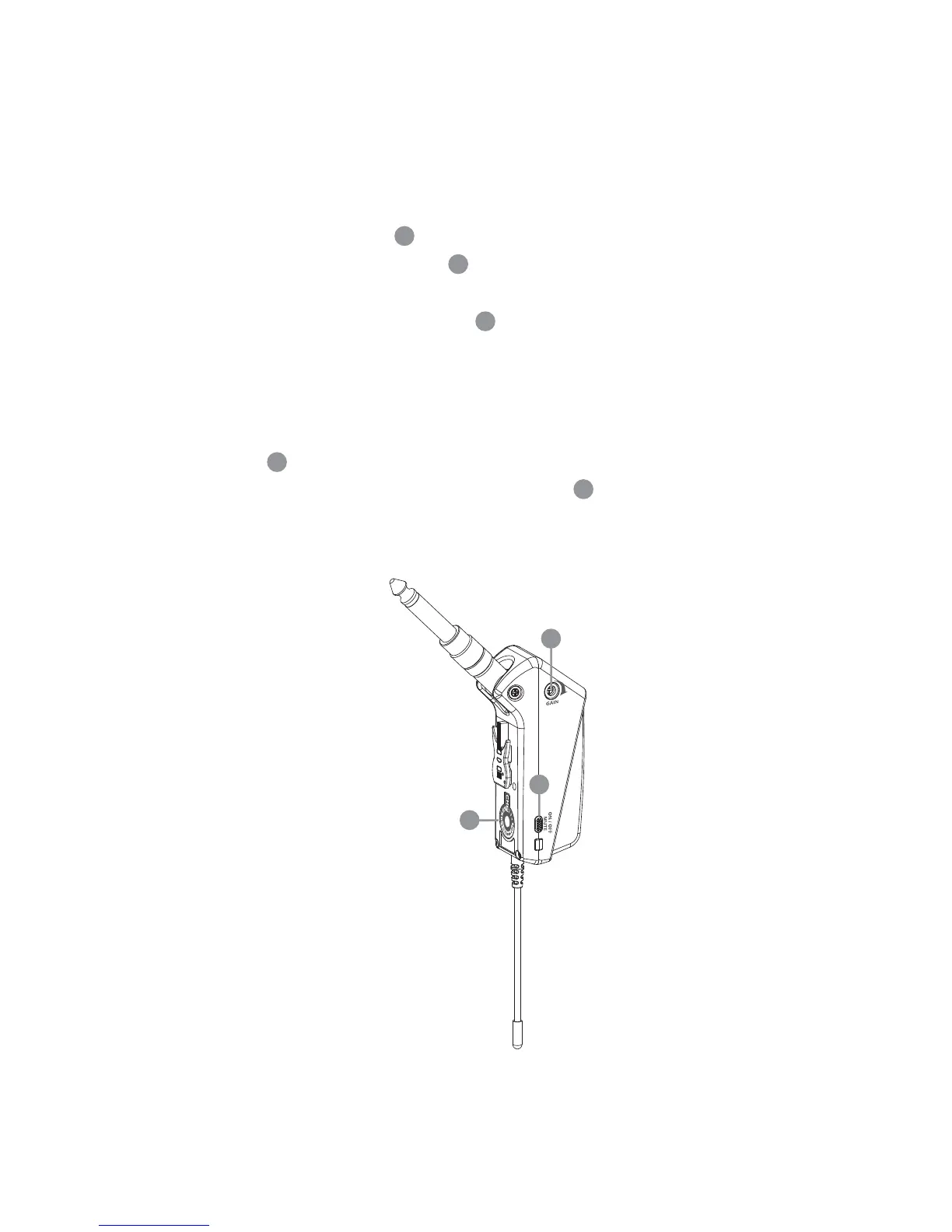
(3) Setting Levels
1. Set a common frequency for both the receiver and transmitter by turning
the Channel Selector with supplied screw driver.
2. Turn the input gain control on the transmitter to a position halfway
between the left and right stops.
3. Set the ON/MUTE/OFF switch to ON to switch on transmitter.
4. Switch on the receiver and sound system.
5. Turn the volume control on the transmitter to maximum level (clockwise)
and play a few notes.
6. If the instrument sounds distorted turn down (count clockwise) the Input
Gain to a point where no distortion is heard. If the instrument sounds
too low, turn up (clockwise) the Input Gain just before distortion is
heard.
4
5
5
2
5
2
4


 To Next Page