2. Press the button until the is displayed on the control panel.
3. Frame the photograph and aim the transmitter on the RM-4D at the infrared receiver on the camera.
4. Press the shutter-release button on the Canon block
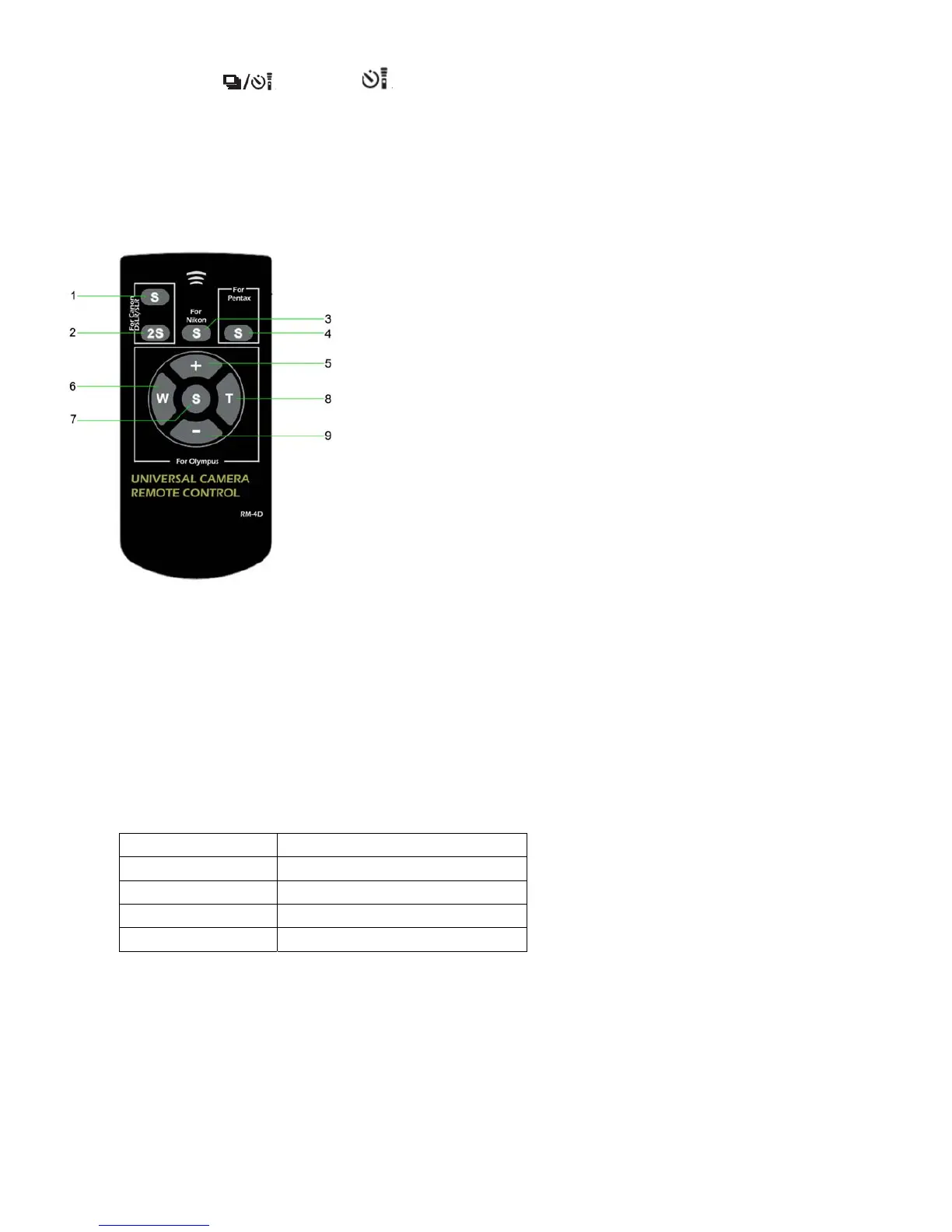
♦ Function Key Meaning
Canon Block
DSLR/SLR/Point & Shoot
1. Shutter-release button (In Auto Focus mode, Auto Focus will be active before shutter is
released.).
2. 2-secs delay Shutter-release button (In Auto Focus mode, Auto Focus will be active before the
shutter is released.).
Nikon Block
3. Shutter-release button (In Auto Focus mode, Auto Focus will be active before the shutter is
released.).
Pentax & Samsung Block
4. Shutter-release button (by default, Auto Focus will not be active automatically. However,
you can change this by setting the [AF in remote control] to [On] in the custom function.
Olympus Block
5. Display the forward photo.
6. Zoom Out button. Adjust the focal length of the lens to the wide angle, suitable for landscape photography.
7. Shutter-release button (In the mode of Auto Focus, Auto Focus will be active before shutter is released.).
8. Zoom In button. Adjust the focal length of the lens to the narrow angle, suitable for portrait photography.
9. Display the backward photo.
♦ Operation Distance
The operation distance may vary between cameras.
Brand Range
Pentax & Samsung 1CM to 15M
Nikon 1CM to 25M
Canon DSLR 1CM to 10M
Olympus 1CM to 15M


 To Previous Page
 Loading...