EasyManua.ls Logo

JUKI 6100 - Page 7

JUKI 6100
51 pages
Print Icon
To Next Page IconTo Next Page
To Previous Page IconTo Previous Page
Loading...
INSTALLATION
OF THE PRINTER
1. Unpacking
Before
unpacking the
printer,
carefully
check the exterior
of the carton containing
rne
printer.
If any damaged
incurred during
transportation has
been found,
immedBr€ry
contact
the shop
you
bought the machine
1.1 Unpacking
procedurc
Unpack
the
printer
in accordance
with the iollowing
st€ps:
Step l: Open the carton.
Step 2: Pull out straight the
pdnter
together
v/ith its shock-absorbing
materials.
Step
3
: Place
the
printer
along
ivith the shock-absorbing
materials
on a table
ot
other
plain
spot.
Step 4: Remove
the shock-absorbing matedals
from
the
printer.
Step
5
:
Take the vinyl
cover off the
printer.
1.2 Rgpacking
the
printer
Repack the
printer
in reverce order from
unpacking
procedure.
Repack
the
printer
when storing
it o! sending
it for repair.
Caution
It is
advisable to keep
the
packing
materials for
possible
reshipment of
the
printer.
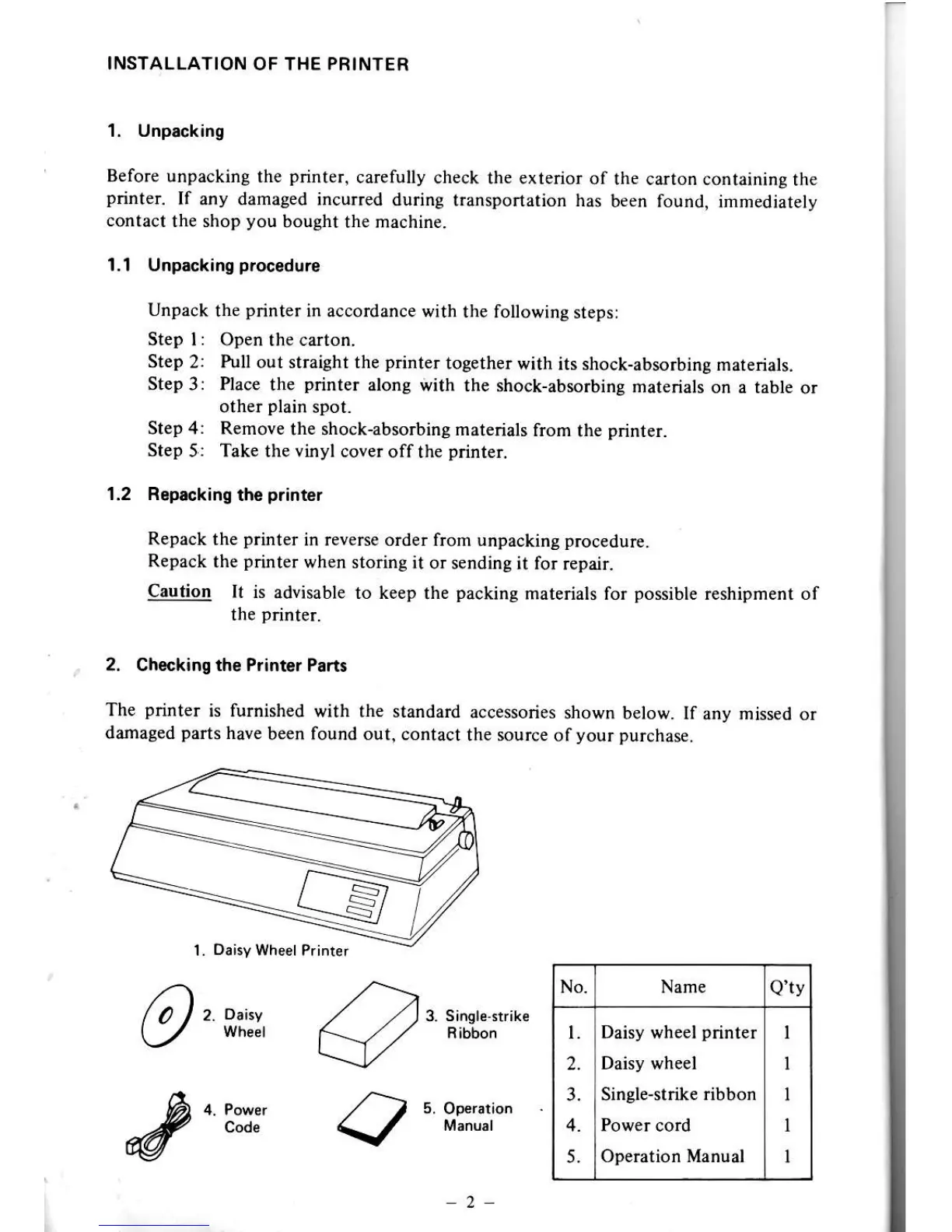
2. Checking ths Plinter Pan3
The
printer
is fumished
with the standard
accessories
shown below. If
any missed or
damaged
parts
have
been found out,
contact the source
ofyour
purchase.
fi,
o"o"
3. Single{trike
Ribbon
fu
o. e"*.
/-)
s.
oo",,tion
_#
code
\/
Manu.l
vtv
No. Name
Qlv
l.
2.
3.
5.
Daisy wheel
printer
Daisy wh€el
Single-strike
ribbon
Power cord
Operation Manual
I
I
1
I
I
2

Other manuals for JUKI 6100