– 97 –
8-6-4. Copying/deleting a condensation custom
①
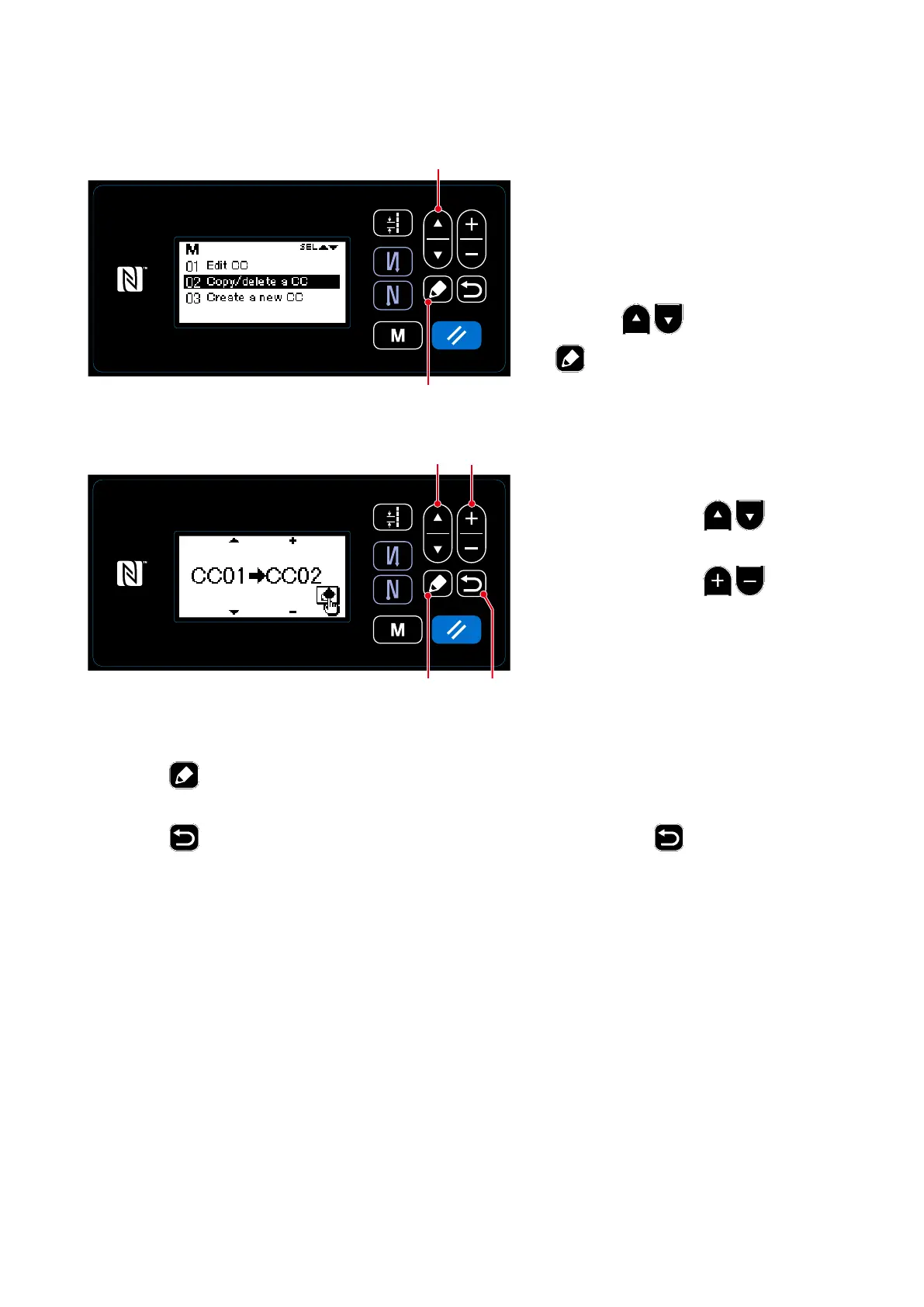
Selecting the condensation custom copy function
1. Display the condensation custom
management screen referring to
"8-
6-2. Creating a new condensation
custom" p.94
.
2. Select "02 Copy/delete a CC" by
pressing
❶
. Then, press
❺
to display the condensation
custom copy/deletion screen.
<Condensation custom management screen>
❺
②
Copying a condensation custom
1.
Select a source condensation custom
number by pressing
❶
. Se-
lect a destination condensation custom
number by pressing
❷
.
❶
(1) Copying a condensation custom
<Condensation custom copy/deletion screen>
❶ ❷
❻
❺
2. Execute or cancel copy of the pattern following the procedure described below.
・
Press
❺
to execute copy. Then, the current screen is returned to the condensation custom
management screen.
・
Press
❻
to display the copy cancellation conrmation screen. Press
❻
again to cancel
copy. Then, the current screen is returned to the condensation custom management screen.



 To Next Page
 Loading...







