– 80 –
8-2. Cycle pattern
It is possible to combine several different sewing
patterns as one cycle pattern for sewing.
As many as 10 patterns can be input in one cycle
pattern. This function is helpful in the case several
different patterns are regularly repeated in a prod-
uct sewing process.
As many as 9 cycle patterns can be registered.
Copy the cycle pattern when necessary.
8-2-1. Selecting the cycle pattern
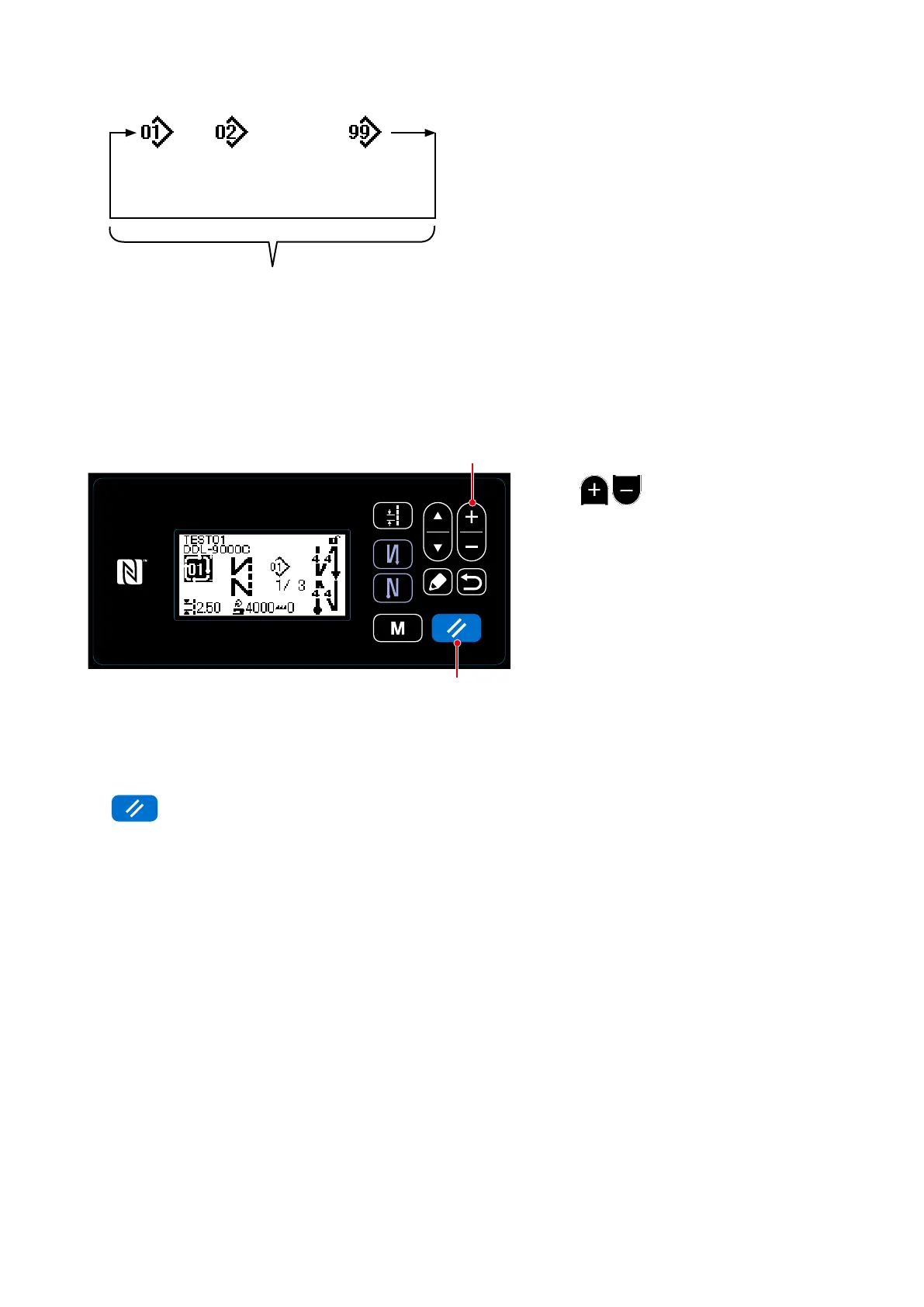
Press
❷
on the sewing screen.
The registered patterns are displayed in
sequence. Cycle patterns are displayed
after sewing patterns.
Sewing is enabled by selecting a desired
cycle pattern number.
No cycle pattern has been factory-regis-
tered at the time of shipment. Create a
new cycle pattern(s) referring to
"8-2-2.
Creating a new cycle pattern" p.81
.
1 cycle
9 cycle can be registered
Step
1
Step
2
Steps 1 to 10 can
be registered
・・・
❷
<Sewing screen (Cycle pattern)>
* It is possible to return the current step to the previous step and to sew the latter again by pressing
❽
on the cycle pattern sewing screen.
❽



 To Next Page
 Loading...







