■ Press Ų button briefly.
■ Within 10 seconds, press the Ű or ű button briefly.
Each button press extends or shortens the brightness threshold by 10% of the
set value, but by at least 1 lux.
Saving the current brightness as the switch-on brightness
■ Press the Ų button for longer than 10 seconds.
The current brightness is saved as the switch-on brightness.
Adjusting the run-on time
The run-on time is set during commissioning. The run-on time can be adjusted at a
later time using the end user IR remote control.
■ Press
Time
button briefly.
■ Within 10 seconds, press the Ű or ű button briefly.
Each button press extends or shortens the run-on time by 10% of the set
value, but by at least 1 second.
Recalling saved settings
During commissioning, the settings made can be saved (see Saving settings). These
can be recalled if, for example, changes made later are no longer required.
■ Press the
Set 2
button for longer than 10 seconds.
The saved settings are active again.
Switching the presence simulation on or off
■ Press the ų button for longer than 10 seconds.
The presence simulation is switched on or off alternately. If the function is
switched on, the red LED flashes slowly.
The function cannot be activated until 24 hours after first commissioning.
6 Information for electrically skilled persons
DANGER!
Electric shock when live parts are touched.
Electric shocks can be fatal.
Always disconnect before carrying out work on the device or load. For this, switch off
all corresponding circuit breakers, secure against being switched on again and check
that there is no voltage. Cover up adjacent live parts.
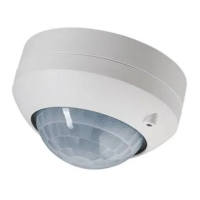
Motion and presence detector
10 / 25
82593233 25.09.2023
J0082593233


 To Next Page
 Loading...