5 Operation
Special functions can be switched and settings adjusted using the end user IR re-
mote control.
Special functions can restrict operation via the 2-wire extensions or push-but-
tons.
If multiple devices are within the range of the IR remote control, then align it so
that only the device to be operated can receive the signals.
Inserting the battery
Obey the battery safety instructions.
■ Keep contacts of batteries and device free of grease.
■ Insert the supplied battery with correct polarity (see IR remote control imprint).
LED display
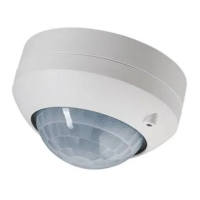
Behind the sensor window (4) are a red and a blue LED (see figure 1) for indicating
different states of operation.
Red LED Blue LED Signalling
Off On Light switched on continu-
ously
On Off Light switched off continu-
ously or twilight button
function activated
Flashing slowly Off Presence simulation
switched on
Flashing Off Receipt of IR signals
Off Flashing IR signal detected
Button assignment of the end user IR remote control
Taste Funktion
ů
Pressing for less than 0.4 seconds
Switching on automatic mode
ů
Actuation of between 1 and 4 seconds
In automatic mode: Switch-on for the dur-
ation of the run-on time
Ű
Pressing for less than 0.4 seconds
Continuous on
ű
Pressing for less than 0.4 seconds
Continuous off
2h on
Pressing for less than 0.4 seconds
On for 2 hours
Motion and presence detector
7 / 25
82593233 25.09.2023
J0082593233


 To Next Page
 Loading...