31786 © Copyright Juniper Systems 06/23
3
To update the EC,
1. Make sure the 12 V power supply is connected, and tap Update.
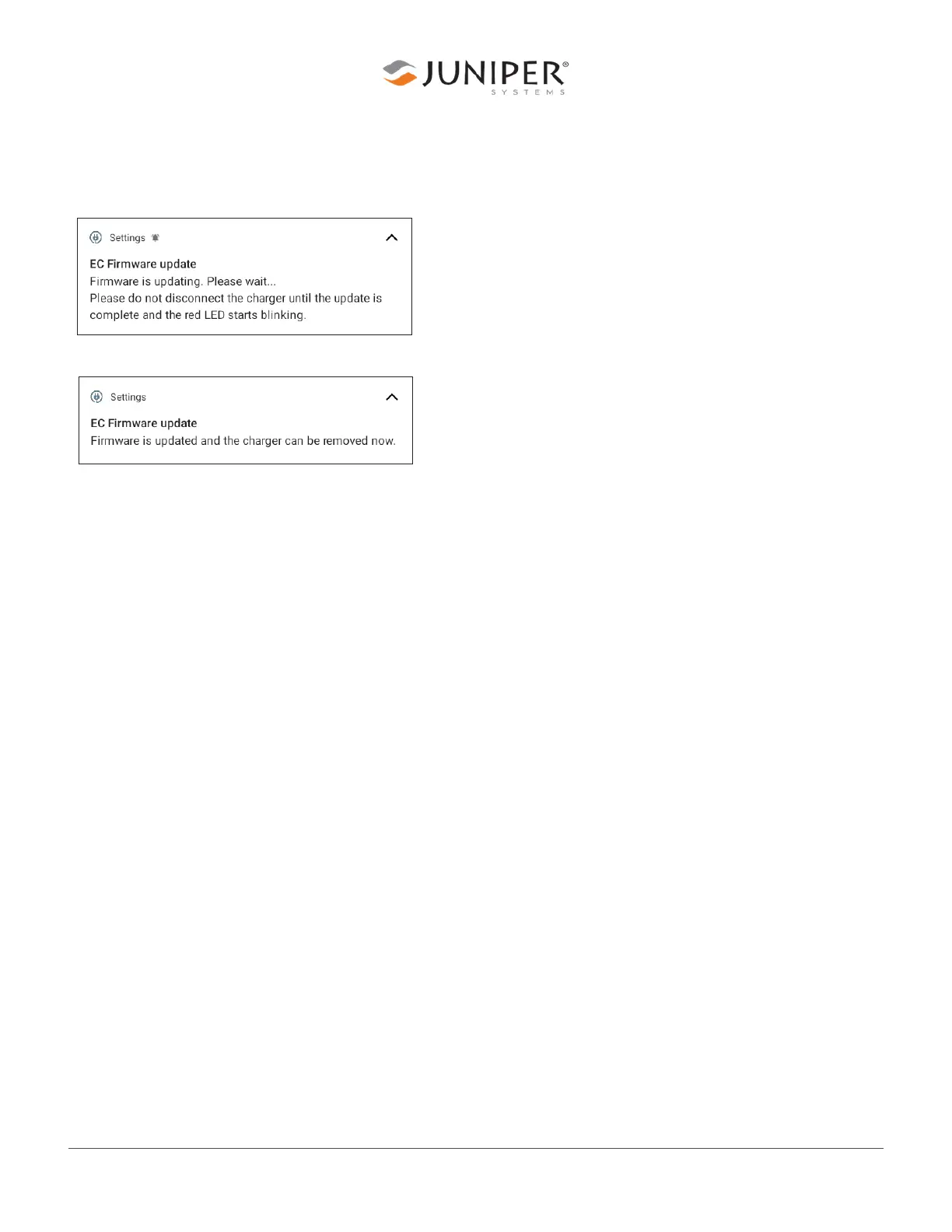
Android notifies you that the EC is updating.
2. Android changes the notification when the EC update is complete.
While Android updates the EC, the following occurs.
■ The red LED turns off.
■ The power button stops functioning.
■ The EC begins updating. This process takes about five minutes.
□ Android skips this step if the EC version is already 29.
■ After the EC is updated, Android updates the removable battery. This takes about 45 seconds.
□ Android skips this step if battery firmware is already version 7A or later.
■ After the removable battery updates, Android updates the internal battery. This takes about 45
seconds.
□ Android skips this step if battery firmware is already version 7A or later.
■ The power button functions again.
■ The red LED turns on or begins flashing.
4. Update the Firmware on a Removable Battery
After you update the EC to version 29, the Mesa 3 tablet will only recognize a removable battery with
firmware version 7A or later. You can update the firmware on a removable battery by inserting the
battery into a Mesa 3 tablet with updated EC.
To update the firmware on a removable battery,
1. Insert the battery into a Mesa 3 tablet with EC version 29.
2. Press and hold the power button for two seconds.
3. Tap Power off.
4. Wait 10 seconds, and press the power button again.



 To Next Page