is on, if off = rinse aid empty notification is
off.
2. Press to change the setting.
3. Press on/off to confirm and save the
setting.
Acoustic signals
Acoustic signals sound when a
malfunction of the appliance occurs. It is
not possible to deactivate these acoustic
signals.
There is also an acoustic signal that
sounds when the programme is
completed. By default this acoustic signal
is deactivated but it is possible to activate
it.
How to activate the acoustic
signal at the end of a
programme
Make sure the appliance is in user mode.
1. Press .
The indicators: , and are
off. The indicator still flashes.
The indicator shows the current
setting. If on = the acoustic signal is
active. If off = the acoustic signal is
disabled.
2. Press to change the setting.
3. Press on/off to confirm and save the
setting.
AutoOpen
AutoOpen improves the drying results with
less energy consumption.
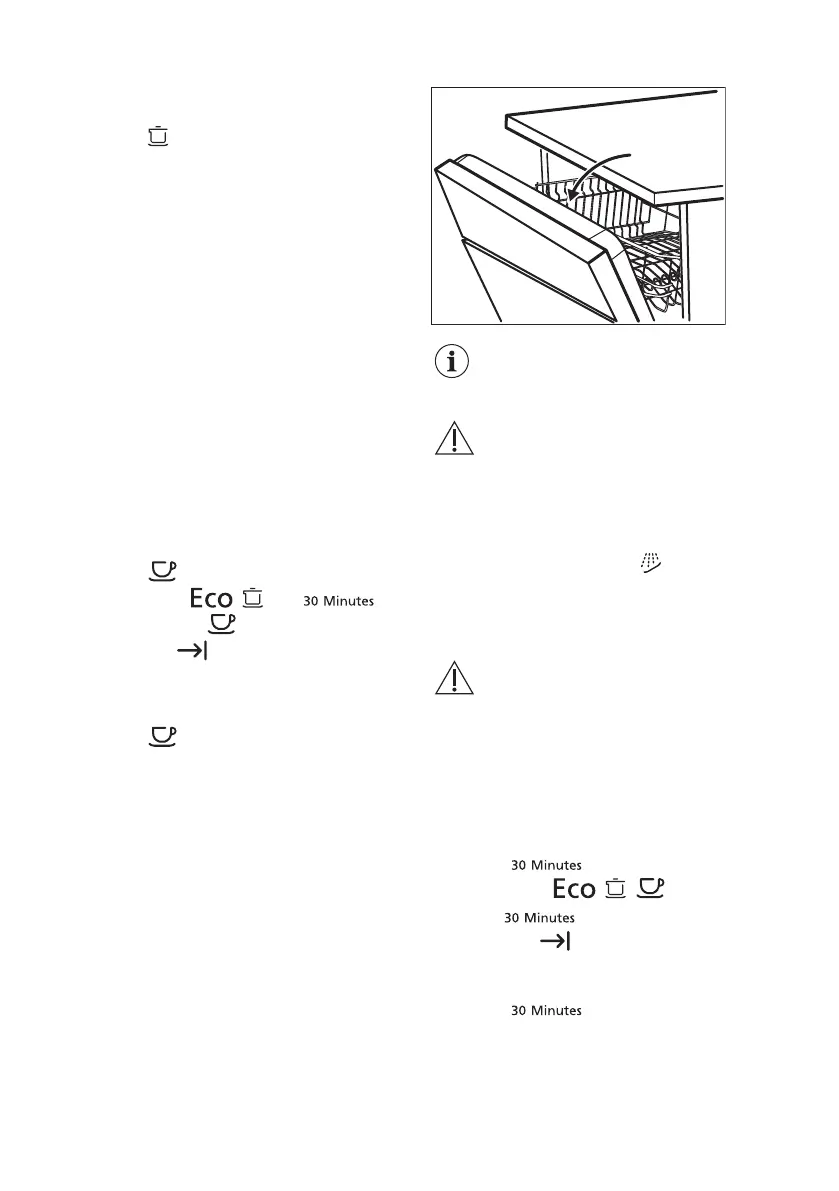
During the drying phase, the
door opens automatically and
remains ajar.
CAUTION! Do not try to close
the appliance door within 2
minutes after automatic
opening. This can cause
damage to the appliance.
AutoOpen is automatically activated with
all programmes excluding .
To improve the drying performance refer
to the XtraDry option or activate
AutoOpen.
CAUTION! If children have
access to the appliance, it is
advised to deactivate
AutoOpen as opening the door
may pose a danger.
How to deactivate AutoOpen
Make sure the appliance is in user mode.
1. Press
.
The indicators: , , are off. The
indicator still flashes.
The indicator indicates the current
setting. If on = AutoOpen is on, if off =
AutoOpen is off.
2. Press to change the setting.
3. Press on/off to confirm and save the
setting.
29


 To Next Page