Permanent settings in programming mode
nl
de
es
en
pt
fr
ru
it
Permanent settings in programming mode
In programming mode you can set the switch-off time and water
hardness� Press the f button to enter programming mode� Press
the f button again to exit this mode�
E You can use the JURA app (J�O�E�
®
) to select in what fill range
the Pulse Extraction Process P�E�P�
®
and intelligent preheating
are enabled (Intelligent Assistant)�
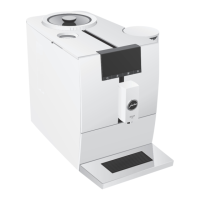
By instructing your ENA to automatically switch itself off, you can
cut down your energy consumption� If this function is activated,
your ENA switches off automatically after the preset time following
the last action on the machine�
E If no action is performed on the ENA for 5 minutes, the
symbol display goes dark� However, the ENA remains ready
for use�
The number of symbols that are brightly lit up indicates the acti-
vated switch-off time:
Switch-off time Symbol(s) shown in display
30minutes
s
1hour
ss
2hours
sss
4hours
sss £
Example:Proceed as follows to change the switch-off time from
30minutes to 1hour�
T
Press the f button�
The & symbol lights up brightly�
T
Press the o button several times until the ü symbol lights up
brightly�
T
Press the s button to enter the programme item�
T
Press the i/o button to change the setting for the switch-off
time�
Press the s button to confirm the setting�
E The setting must be confirmed within 20 seconds�
The sss£ symbols flash 3 times in quick succession�
E The automatic switch-off can also be set using the JURA app
(J�O�E�
®
)�
Automatic switch-off


 To Next Page
 Loading...