Maintenance
nl
de
es
en
pt
fr
ru
it
Maintenance
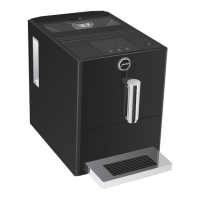
Your ENA has the following integrated maintenance programmes:
U
Cleaning the machine (L)
U
Descaling the machine (&)
E Proceed with the maintenance programmes when prompted
to do so�
Once the filter cartridge stops working (depending on the water
hardness setting), the ENA will prompt you to change the filter�
E Your ENA no longer has to be descaled if you are using the
CLARIS Smart / Smart mini filter cartridge�
E CLARIS Smart / Smart mini filter cartridges are available from
specialised dealers�
Precondition:Your ENA is ready for use� The Filter symbol ! lights
up (if you are already using a filter)�
T
Remove and empty the water tank�
T
Remove the used filter cartridge from the water tank�
T
Fit the filter cartridge extension on top of a new CLARIS Smart /
Smart mini filter cartridge�
T
Insert the filter cartridge with its extension into the water tank�
T
Fill the water tank with fresh, cold water and reinsert the tank�
The machine automatically detects that you have inserted/
changed the filter cartridge�
The filter is rinsed�
The ü symbol lights up�
T
Empty the drip tray and coffee grounds container and put them
back into the machine�
Inserting/changing the filter
1
2
click! click!


 To Next Page
 Loading...