17
ENA 3
de
fr
it
en
it
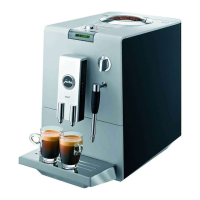
1 coffee at the touch of a button
Precondition: READY appears on the display.
Place the cup under the coffee spout.
k T Press the Rotary Switch to start coffee
preparation.
During grinding the strength of the coffee
is briefly displayed.
1 CUP, the pre-set amount of water
flows into the cup, preparation stops
automatically.
READY
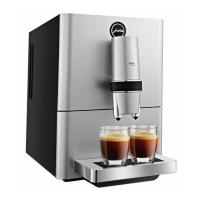
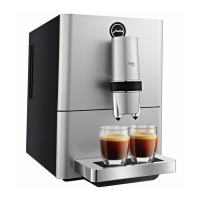
2 coffees at the touch of a button
Precondition: READY appears on the display.
Place two cups under the coffee spout.
g T Turn the Rotary Switch until 2 CUPS
is displayed.
k T Press the Rotary Switch to start coffee
preparation.
2 CUPS, the pre-set amount of water
flows into the cups, preparation stops
automatically.
READY
Pre-ground coffee
You can also use a second coffee blend in the
powder chute for pre-ground coffee.
Never add more than two level measuring
spoons of pre-ground coffee.
Do not use very finely-ground coffee. Very
fine coffee can block up the system so
that the coffee only comes out in drips.
If the filled amount of pre-ground coffee
was insufficient,
NOT ENOUGH
PRE-GROUND is displayed and the
ENA stops operation.
The desired coffee speciality must be
prepared within approx. one minute
after filling with the pre-ground coffee.
Otherwise the ENA stops the operation
and is ready to use again.
T
T
E
E
E
E
Example: Preparing a cup of coffee using
pre-ground coffee.
Precondition:
READY is shown on the display.
Place the cup under the coffee spout.
Open the powder chute.
FILL PRE-GROUND
Place the filler funnel for pre-ground coffee
in the powder chute.
Place one level measuring spoon of
pre-ground coffee into the filler funnel.
Remove the filler funnel.
Close the powder chute.
1 CUP
k T Press the Rotary Switch to start coffee
preparation.
1 CUP, the pre-set amount of water flows
into the cup, preparation stops automati-
cally.
READY
It is also possible to prepare two cups of
pre-ground coffee. To this purpose place
two level measuring spoons of pre-ground
coffee into the filler funnel. Turn the Rotary
Switch to
2 CUPS and press to start
coffee preparation.
T
T
T
T
T
T
E


 To Next Page
 Loading...