R
EADY
.
Place a cup under the Dual Coffee Spouts and push
one of the two coffee buttons. Display shows e.g.
1 ESPRESSO and coffee flows into your cup and stops
automatically.
READY.
During brewing you can override the strength and the cup
size by turning the Rotary Dial (behind the door on the left
side). NOTE: To brew two cups, push either Coffee button
twice. The C9 OT brews twice the volume.
Important: You can always stop the flow of coffee by pushing
any of the coffee buttons.
D) Changing the Grinder Fineness
Important: You can only adjust the fineness during the
actual grinding process.
1. Open the bean container lid and turn the dial while grinding:
larger dots: coarser; smaller dots: finer.
2. For darker, oily beans, grind somewhat coarser. For lighter
beans, grind somewhat finer.
E) Using Hot Water. Place a cup underneath the Hot Water
nozzle and push the Hot Water button
WATER. Water begins
flowing. Push button again to stop the water flow.
F) One Touch Cappuccino.
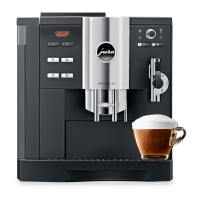
The C9 OT features the Auto Cappuccino System with two
spouts located behind each other. The front spout produces
steam (hot water and steam /milk nozzle). The rear spout
produces high pressure brewed coffee. Attached to the
steam nozzle is the removable frothXpress system. It
siphons, steams and froths milk.
1. Fill the thermal milk container with milk and attach to the
frothXpress system. Important: Make sure all parts are
connected tightly, otherwise siphoning does not work.
2. Set the frothXpress dial to the 12 o’clock position for
frothing for cappuccino or to the 6 o’clock position for
steaming for latte.
Frothing range
Steaming
range
Steam only
no siphoning
DIAL
+
+
_
_
frothXpress System
hot water
and
steam/milk
nozzle
coffee
nozzle
One Touch
Cappuccino
Button
Milk Button
Hot Water
Button



 To Next Page
 Loading...