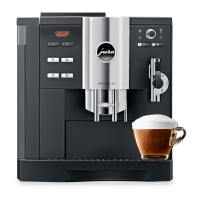
3. Place a cup underneath the Cappuccino System.
4. Push the Cappuccino button. The C9 OT starts grinding,
the display shows
CAPPUCCINO, then coffee strength.
It siphons, heats and froths milk for 14 seconds, adds 2 oz.
of high-pressure brewed coffee and stops automatically.
READY.
5. For hotter milk in either position move the frothXpress dial
towards the (+) plus symbols.
NOTE: For preparing Café Mocha, Latte Macchiato, Hot
Milk and Hot Chocolate see Instruction Book (page 17).
G) Cappuccino Rinsing:
Ten minutes after preparing a beverage with milk, the C9 OT
shows
READY / RINSE CAPPUCCINO and the Rinse button
illuminates. It takes only a few seconds and makes sure that
your frothXpress is free of any milk.
• Turn frothXpress dial to the 3 o’clock position and place a
cup underneath the cappuccino system.
• Push Rinse button
CAPPUCCINO RINSING. Hot water
flows through the frothXpress and stops.
READY.
• Turn the frothXpress dial back to your preferred position.
H) Factory Settings, Beverage Buttons:
• All coffee and water buttons are set to temperature
HIGH.
• Espresso button – 1.5 oz./ STRONG.
• Coffee button – 5 oz. per cup / NORMAL.
• Cappuccino; one-touch button – 14 seconds milk,
2 oz. coffee /
NORMAL.
• Milk portion button; 30 seconds milk,
• Water portion button; 6 oz.
All other settings see chapter 5, Operating Instructions.
I) Re-Programming, Beverage Buttons:
a. Visual Programming of cup size.
• Push and hold
the beverage button you want to re-program,
display shows ENOUGH COFFEE? or ENOUGH MILK?
Example:
Visually re-programming the Cappuccino button. READY.
• Prepare the Cappuccino Systems (milk container etc.) to
make a cappuccino and place your cappuccino cup under
the Cappuccino System.
• Push and hold the Cappuccino button until display shows
ENOUGH MILK?
• When the desired amount of milk and milk froth is in your
cup, push the Cappuccino button again. The display now
shows ENOUGH COFFEE?
• When enough coffee has been added to your frothed milk
push the Cappuccino button again. The display briefly
shows OK then READY.
The next time you push the Cappuccino button, the C9 OT
will produce that amount of milk and coffee.



 To Next Page
 Loading...