EasyManua.ls Logo

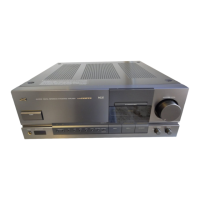
JVC AX-Z1010TN - Front Panel

JVC AX-Z1010TN
67 pages
Print Icon
To Next Page IconTo Next Page
To Previous Page IconTo Previous Page
Loading...
FRONT
PANEL
@
POWER
Turns
the
power
on
and
off.
When
the
power
is
turned
on,
the
upper
indi-
cator
will
flicker
then
light.
Power
is
alternated
on
and
off
everytime
the
button
is
pressed.
Note:
«
Back
up
circuit
Even
if
the
power
is
turned
off
or
there
is
a
power
faiture,
the
back
up
circuit
will
continue
to
operate
and
maintain
the
button
settings
for
about
three
days.
However,
after
this
period
has
been
ex-
ceeded
the
memory
circuit
will
cancel
and
the
button
settings
will
be
fost.
In
this
situation
press
the
buttons
you
want
once
more.
@
Sampling
frequency
indicator
in
response
to
a
digital
signal
input
a
sampling
frequency
will
be
displayed
in
this
section.
©
0/A
CONVERTER
DIRECT
When
this
button
is
pressed
the
indicator
will
light
and
a
signa!
from
a
CD
player
or
some
other
component
connected
to
the
[SEIS
terminal
will
input
directly
into
the
power
am-
plifier.
Very
high
quality
HiFi
sound
reproduc-
tion
with
DIGITAL
PURE
A
TYPE
1!
is
achieved.
@
MASTER
LEVEL
CONTROL
This
knob
is
used
to
adjust
the
volume
of
the
speakers
or
headphones.
@
PHONES
(headphone
jack)
@
REMOTE
SENSOR
This
sensor
receives
the
signal
transmitted
from
the
remote
control
unit.
When
a
signal
is
be-
ing
received
the
indicator
will
light.
@
SPEAKERS
These
are
the
on/off
buttons
for
speakers
1
and
2
When
this
button
is
pressed
to
on,
the
indica-
tor
above
the
button
will
light.
AW-2OW
DGITAL
REFERENCE
ITEGRATED
AMPURER
S.eciONGRFITE
Ke
@
Analog
input
sefector
Changes
the
analog
system
source
connect-
ed
to
the
CD,
LINE
1-3,
PHONO,
and
DAT
T/TAPE
2
terminais.
When
each
button
is
pressed,
the
indicator
above
the
button
will
light.
When
D/A
CON-
VERTER
DIRECT
or
@
DAT
MONITOR
is
operated,
the
indicator
will
be
off
and
the
source
will
be
changed
to
the
digital
system.
©
TAPE
1/DAT
2
(TAPE
1
»
DAT
1)
Turn
ON
when
setting
a
tape
deck
connect-
ed
to
the
TAPE
t/DAT
2
terminal
to
replay/record
monitor,
when
using
equipment
such
as
a
SEA
graphic
equalizer,
or
when
copying
(dubbing)
from
TAPE
1/DAT
2
to
DAT
T/TAPE
2.
When
it
is
turned
ON,
the
MONITOR/COPY
in-
dicator
above
the
button
will
light.
The
power
is
alternated
ON/OFF
everytime
the
button
is
pressed.
(Even
if
another
source
is
selected,
it
will
not
automatically
be
turned
OFF.)
Since
this
button
(source)
has
the
highest
pri-
ority
of
all
sources,
set
it
OFF
except
in
the
above
cases.
@
Digital
input
selector
This
can
be
used
to
change
the
digital
system
source
connected
to
the
DIGITAL
1
and
DIG-
ITAL
2
terminals,
When
each
button
is
pressed,
the
indicator
above
the
button
will
light.
When
the
analog
input
selector
is
operated,
the
indicator
will
be
off
and
the
source
will
be
changed
to
the
ana-
log
system.
@
DAT
MONITOR
Press
this
button
to
on
when
monitoring
play-
back/recording
of
a
DAT
deck
connected
to
the
DAT
digital
terminals.
When
this
button
is
pressed
to
on,
the
indicator
above
the
button
will
light.
ON/OFF
is
alternated
everytime
the
button
is
pressed.
(Selecting
another
digital
source
does
not
turn
it
off
automatically.)
@
BASS
CONTROL
When
music
volume
is
turned
down
the
hu-
man
ear
tends
to
become
less
aware
of
bass
sound.
This
can
be
compensated
for
by
ad-
justing
the
bass
control
knob
so
that
you
can
enjoy
powerful
bass even
at
low
sound
level.
@
BALANCE
This
knob
adjusts
the
volume
balance
between
the
leit
and
right
speakers.
Normally
it
is
set
to
the
center.
(When
DiA
CONVERTER
DIRECT
is
being
used
this
knob
will
not
operate.)
AX-Z1010TN
(No.
20115)
1-7

Related product manuals