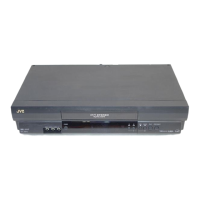
18
TV signals being received by the recorder’s built-in tuner can be
recorded onto a video tape. You can “capture” a TV programme
using your video recorder.
RECORDING
Ba sic
Recording
Turn on the TV and select the VIDEO channel (or AV mode).
LOAD A CASSETTE
1
Insert a cassette with the record safety tab intact.
● The counter is reset to 0:00:00 and the recorder
power comes on automatically.
CHOOSE A PRO GRAMME
2
Press TV PROG. +/ – or the N UM BER keys to select the
preset you wish to record.
SET TAPE SPEED
3
Press SP/ LP ( ). Check the SP/LP indicator on the
recorder display panel to confirm the selected tape
speed.
● Picture quality of LP recordings will not be as high as
SP recordings.
START RECORDIN G
4
Press and hold RECORD and PLAY on the remote
control, or press RECO RD on the recorder.
PAUSE/ RESUME
RECORDIN G
5
Press PAU SE. Press PLAY to resume recording.
STO P RECORDING
6
Press STO P on the remote control or STO P/ EJECT on
the recorder. Then press STOP/ EJECT to remove the
cassette.
q
¢
¢
1
¡
5

1
4¢
7
3
8
¡
123
456
7
/
8
0
9
4
2
1
3
TV PRO G.
2
Accidental erasure prevention
● To prevent accidental recording on a recorded cassette,
remove its safety tab. To record on it later, cover the hole
with adhesive tape.
Record safety tab
B.E.S.T. takes place at the beginning of both the
first SP and the first LP recording after inserting the
cassette (Z pg. 20).
1
4
2
5
6
NU M BER
2
PAU SE
5
RECORD
4
SP/ LP
3
3
6
PLAY
4,5
Downloaded from: https://www.usersmanualguide.com/



 To Next Page
 Loading...