44 EN
Perform steps 1 and 2 of "Storing Channels Manually" on
page 40 to access the Confirmation screen before continuing.
SELECT CHANNEL TO
FINE-TUNE
1
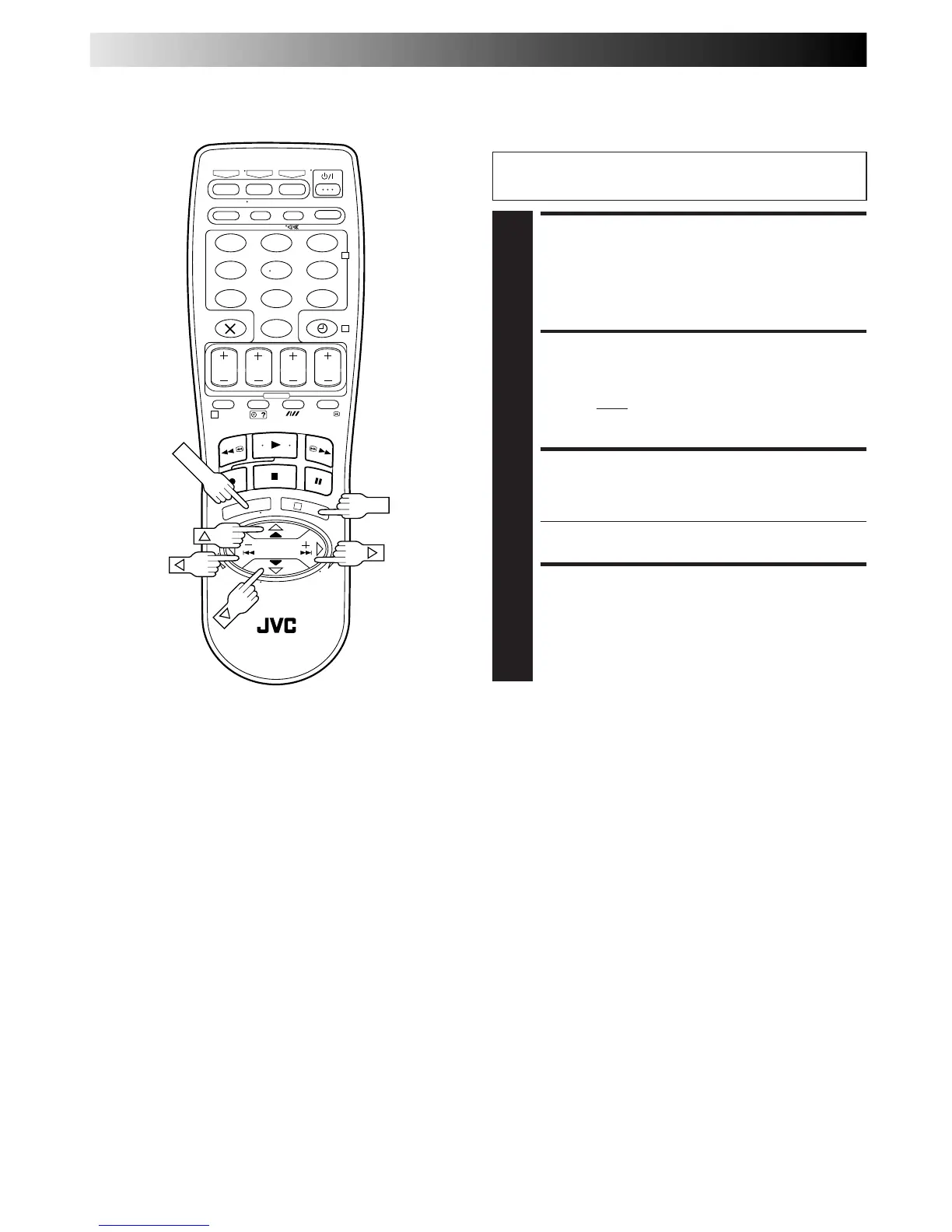
Press
%
fi until the channel you want to tune
begins blinking.
ACCESS MANUAL
CHANNEL SET SCREEN
2
Press OK twice. The Manual Channel Set screen
appears.
PERFORM TUNING
3
Press until "+/–" begins blinking, then press
%
fi until
the picture is its clearest. Then press OK.
● The Confirmation screen appears.
● Repeat steps 1 through 3 as necessary.
CLOSE CONFIRMATION
SCREEN
4
Press MENU.
Fine-Tuning Channels
Already Stored
%
SUBSIDIARY SETTINGS (cont.)
%
%
– –:– –
123
456
7
89
0
2
4
1
3
OK


 To Next Page