12
Playback
Basic operations
Turn on the TV: Select VIDEO channel (or AV mode).
REC WIRELESS
MIC
MIC
1/2
SEARCH
SYSTEM
SP/LP/EP
COLOUR
SYSTEM
CH SET
SINGING AND
RECORDING
AUDIO
MONITOR
OPERATE
TIMER
MIC 21
STORE
OK
KEY CONTROL
ECHO
TV PROG.
ECHO
TV PROG.
MIC
VOLUME
AUTO SP/LP
TIMER
WIRELESS
MIC
BLANK
SEARCH
SYSTEM
WIDE
QUALITY
Variable-speed/High-speed search,
still playback/frame advance/
forward slow motion
During Playback:
L Press PUSH JOG g or f
button for variable-speed
search.
L The more times the button is pressed, the faster the playback
picture will move.
L To decrease speed, press the button for the opposite direction.
During Playback:
L Press Fast Forward
¡¡
¡¡
¡ button for high-speed forward
search, or Rewind
11
11
1 button for high-speed reverse search.
L For short searches, keep Fast Forward
¡¡
¡¡
¡ button or Rewind
11
11
1 button pressed for more than 2 seconds. When released,
normal playback will continue.
L Press Pause/Stilll
88
88
8 button on the remote control to view a
still picture.
L Press again to advance the picture frame by frame.
L Press Pause/Still
88
88
8 button on the remote control for 2
seconds for slow motion.
During Still:
L For frame-by-frame playback in the forward or reverse
direction, press PUSH JOG g or f button in the
corresponding direction.
Manual tracking
Your video recorder is equipped with automatic tracking control.
If you wish to adjust tracking manually, you can override this
function.
During Playback:
Press Auto tracking
77
77
7
/
JJ
JJ
J
button on the remote control.
Press TV PROG.
88
88
8/
99
99
9 button to adjust tracking.
LL
LL
L Press Auto tracking
77
77
7
/
JJ
JJ
J
button to return to automatic
tracking.
During Slow:
Simply press TV PROG.
88
88
8/
99
99
9 button to adjust tracking.
Notes:
• The recorder automatically stops when still continues for
more than 5 minutes.
• If the still picture is unstable, use the TV PROG. 8/9 button
to correct the picture.
• During search playback, some noise bars will appear.
• When playing back LP recordings in the search, still, or
frame-by-frame playback mode, the picture will be distorted,
and there will be a loss of colour.
• There is no audio during search, slow, still, or frame-by-
frame playback.
• When a new tape is inserted, the recorder enters the
automatic tracking mode automatically.
2
3
4
1
IMPORTANT:
L Normally set colour system detection to “AUTO” by
pressing the COLOUR SYSTEM button. If a tape is not
played back correctly, try manual setting, Z p.25.
L If viewing an NTSC or MESECAM tape, set the COLOUR
SYSTEM button to match the type of TV being used,
Z p.26.
L For more information on multi-system compatibility,
Z p.26.
Load a cassette.
LL
LL
L The recorder power will come on automatically.
LL
LL
L The counter will reset to “0:00:00” automatically.
LL
LL
L If the safety tab on the cassette is removed, playback will
start automatically.
Press Play - button to start playback.
LL
LL
L “B.E.S.T.” appears blinking in the on-screen for 5 seconds.
(Z p.11)
Press Stop
LL
LL
L button to stop playback.
LL
LL
L To rewind the tape, press Rewind
11
11
1 button.
LL
LL
L To fast-forward the tape, press Fast Foward
¡¡
¡¡
¡ button.
LL
LL
L To stop rewind or fast-forward, press Stop L button.
Press Stop/Eject § button on the recorder to eject
the tape.
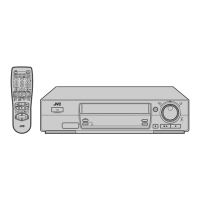
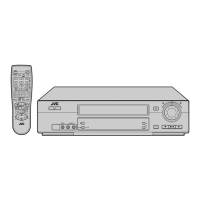
COLOUR SYSTEM button
1
Play button
Stop/Eject button
Stop button
Fast Forward
button
Play button
Rewind button
2
1


 To Next Page
 Loading...