48
A
B
C
Language
Subtitle Language ENG
Audio Language ENG
On-Screen Language ENG
German
Others
Code E N
French
: Select : Enter
Disc Menu Language EN
English
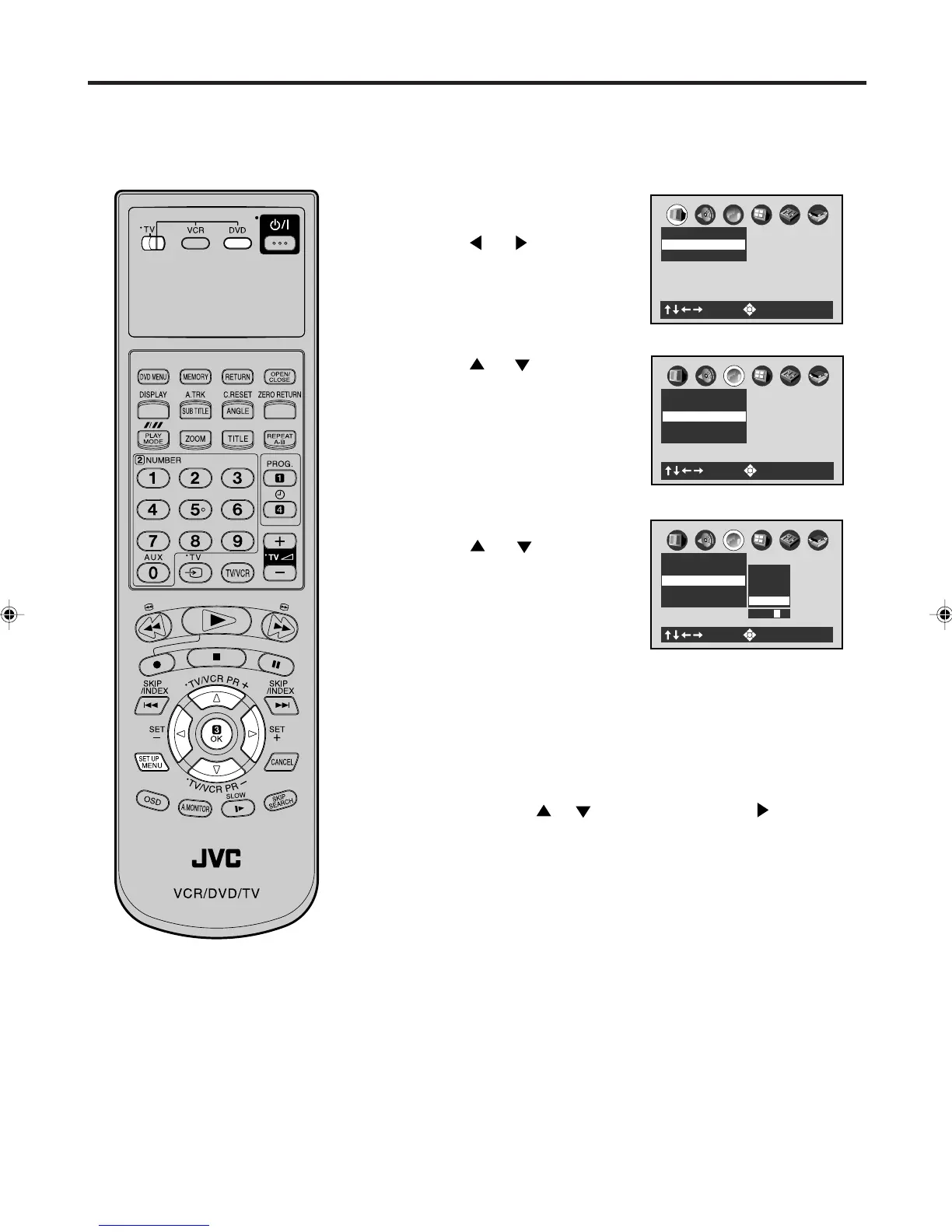
Setting menu language
Press OK (ENTER).
Press
or to select your
desired language, then press OK
(ENTER).
1
2
3
To make the SETUP screen disappear, press SET UP MENU.
Others: Other languages can be selected (See the Table of
languages on page 57).
Example:
Set to EN (ENGLISH).
Press
or to select “E” then press to move to
the right character. Then select “N” same as above.
Then press OK (ENTER).
English, French, German
The selected language is the first-priority Menu language.
Press
or to select “Disc
Menu Language”.
4
You can select the language of the
disc menu messages of DVDs.
• Turn ON the TV and set to the video input mode.
• Make sure TV/VCR/DVD switch has been slided to VCR/DVD. Then
press DVD to select the DVD mode. (The DVD indicator will light)
Preparation:
Press SET UP MENU in the stop
mode.
Press
or to select “Lan-
guage”.
A
B
C
: Select : Enter
Picture
TV Shape 4:3LB
Video Out Select Video
A
B
C
Language
Subtitle Language ENG
Audio Language ENG
Disc Menu Language ENG
On-Screen Language ENG
: Select : Enter
2A77501B E(44-49) 5/30/02, 9:24 PM48



 To Next Page
 Loading...








