EN
33
Basic Recording
A
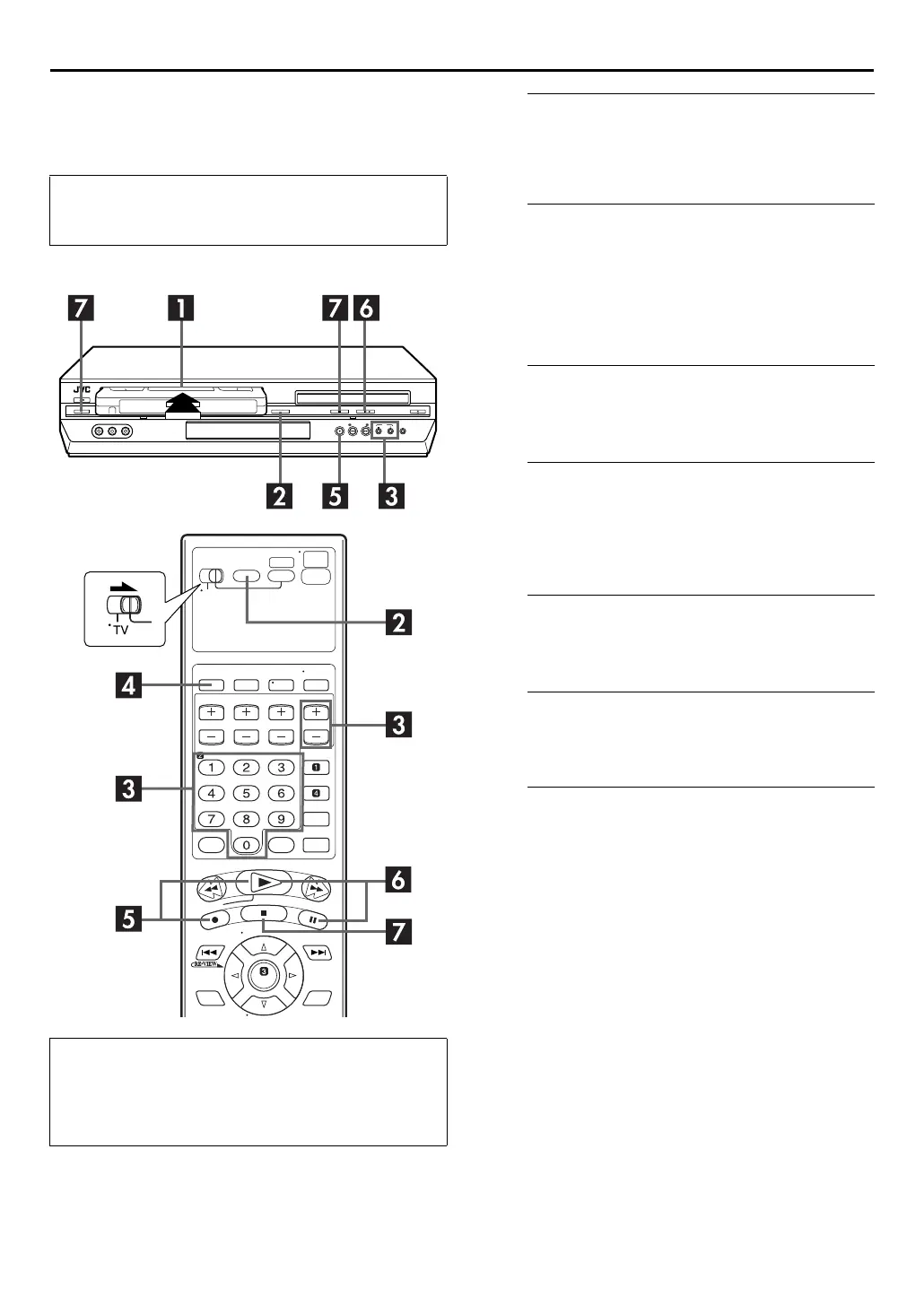
Load a cassette.
Insert a cassette with the record safety tab intact.
●
The unit’s power comes on automatically and the counter is
reset to 0:00:00.
B
Select the VCR deck.
On the unit
Press
VCR/DVD
repeatedly so that the VCR indicator
lights up.
On the Remote
Press
VCR
so that the VCR indicator lights up.
C
Choose a program.
Press
CH +/–
or the
number keys
to select the channel
you wish to record.
D
Set the tape speed.
Press
SP
/
EP
. The current setting appears on the front
display panel or TV screen. Press
SP
/
EP
again to change
the setting while the tape speed is displayed on the TV
screen.
E
Start recording.
Press and hold
REC
(
7
) and press
PLAY
(
4
) on the
Remote, or press
REC
(
7
) on the unit.
F
Pause/Resume recording.
Press
PAUSE
(
9
). Press
PLAY
(
4
) to resume recording.
●
You can select channel during the Record Pause mode.
G
Stop recording.
Press
STOP
(
8
). Then press
EJECT
(
x
) on the VCR deck
to remove the cassette.
●
Turn on the TV and select the VCR channel (or AV
mode).
●
Slide the
TV/VCR/DVD
switch to the right.
Recording Resume Function
If there is a power outage during recording, Instant Timer
Recording or timer recording (
墌
pg. 33, 34, 36), the
recording will resume automatically when power is restored
to the unit unless the unit’s memory backup has expired.



 To Next Page
 Loading...






