Masterpage:Right-No-Heading
EN
55
Filename [XVC33U_08DVD.fm]
Page 55 22 July 2003 3:19 pm
Angle Selection
You can enjoy a variety of scene angles if the DVD VIDEO disc
contains “multi-angle” parts, where multiple cameras were used
to shoot the same scene from different angles.
If the disc contains “multi-angle” parts, “” appears on the TV
screen at the beginning of the “multi-angle” part when “ON
SCREEN GUIDE” is set to “ON”.
●
During playback
When using the on-screen bar
A
Access the on-screen bar.
Press
PLAY SETUP
twice. The on-screen bar appears on
the TV screen.
B
Select menu item.
Press
we
to move
0
to , then press
OK
.
●
The following pop-up window appears under the selected
item.
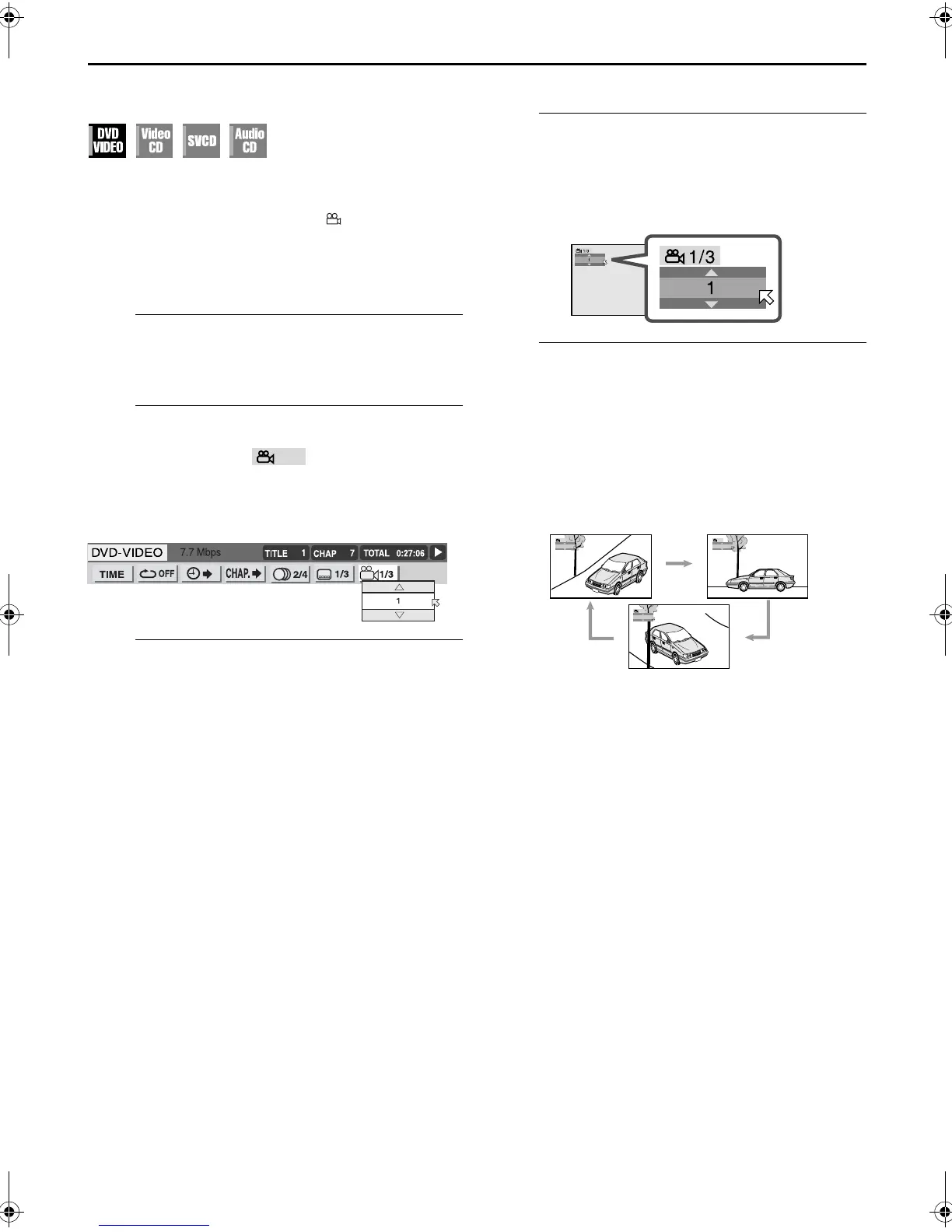
Example: The first view angle is selected out of 3 view angles
recorded.
C
Select the view angle.
Press
rt
repeatedly to select the desired view angle,
then press
OK
.
●
Each time you press the button, the angle of the scene
changes.
To clear the on-screen bar
Press
PLAY SETUP
.
NOTE:
When “
X
” appears on the TV screen in step
C
, the current
scene is not recorded from multiple angles.
When using the ANGLE button:
A
Access the menu.
Press
ANGLE
.
●
The following pop-up window appears on the TV screen.
Example:The first view angle is selected out of 3 view angles
recorded.
B
Select the view angle.
Press
rt
or
ANGLE
repeatedly to select the desired
view angle, then press
OK
.
●
Each time you press the button, the angle of the scene
changes.
●
The pop-up window disappears if no operation is done for
about 5 seconds.
Example:
1/3
]
2/3
]
3/3
]
(Back to the beginning)
1
1
2
1
1
XVC33U_01.book Page 55 Tuesday, July 22, 2003 3:20 PM



 To Next Page
 Loading...








