ENGLISH
9OPERATIONS
i * DUAL button
• Not applicable for this unit.
o SURROUND button
• Not applicable for this unit.
DIRECT button
• DISC: Enters direct search mode for chapter/
title/program/playlist/folder/track when pressed
with SHIFT button (see page 16 for details).
CLR (clear) button
• DISC: Erases the misentry when pressed with
SHIFT button.
* Functions as number buttons/
*
(asterisk)/# (hatch)
when pressed with SHIFT button.
– FM/AM: Selects the preset stations (1 – 6).
– DISC: Enters chapter/title/program/playlist
folder/track number after entering search
mode by pressing SHIFT and DIRECT (see
page 16 for details).
p DISP (display) button
• Changes the display information.
q 1 / ¡ buttons
• DVD-Video/VCD: Slow motion playback (during
pause).
• DivX/MPEG Video/MP3/WMA/WAV: Reverse
search/forward search.
w SOURCE button
• Selects the source.
e 3 (play) / 8 (pause) button
• DISC: Starts/pauses playback.
r (end call) button
• Not applicable for this unit.
BAND /
7 (stop) buttons
• FM/AM: Selects the bands.
• DISC: Stops playback.
t * RETURN button
• VCD: Returns to the PBC menu.
y * MENU button
• DVD-Video/DivX: Shows the disc menu.
• DVD-VR: Shows the Playlist screen.
• VCD: Resumes PBC playback.
u * % / fi buttons
• DVD-Video: Makes selection/settings.
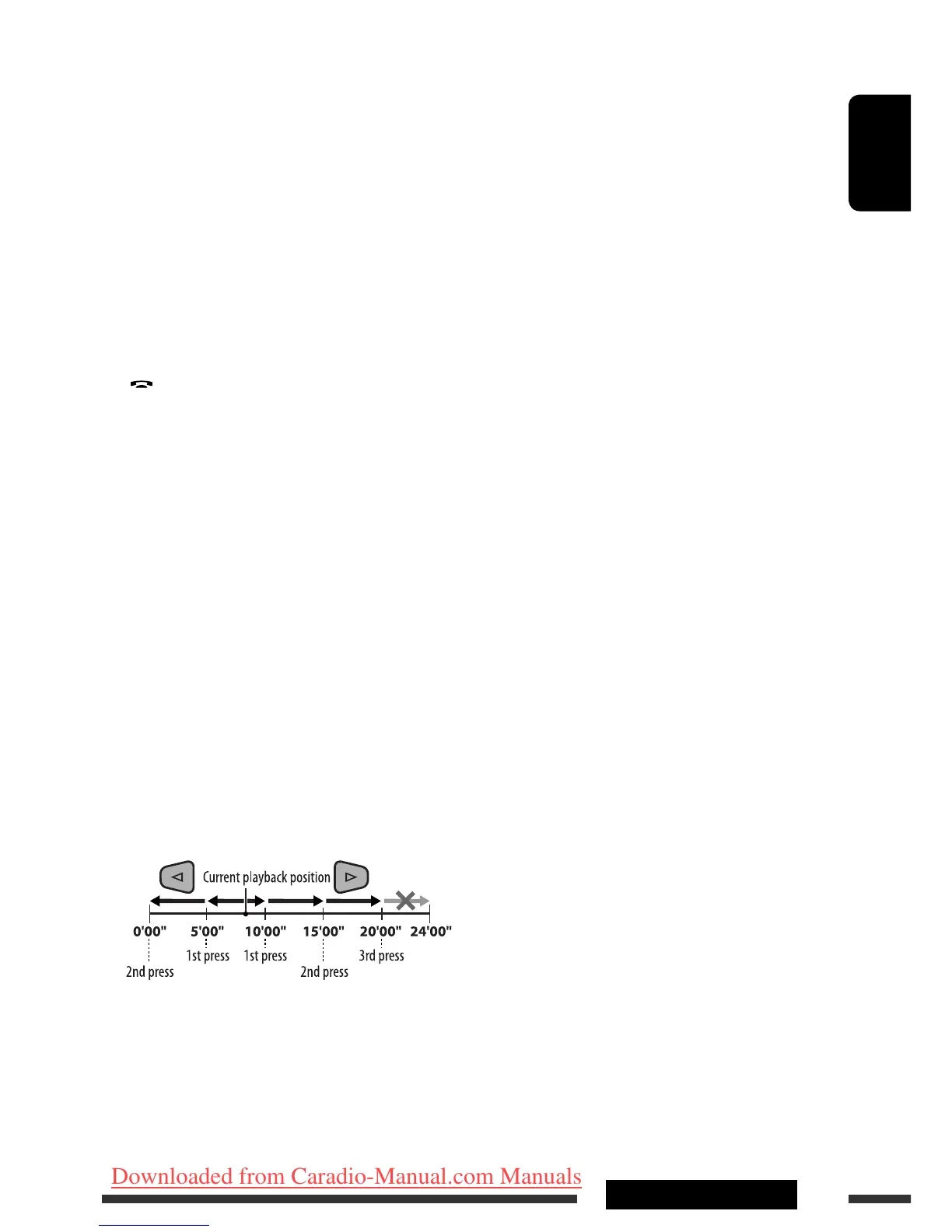
@ / # buttons
• DVD-Video: Makes selection/settings.
• DivX/MPEG Video: Skips back or forward by
about five minutes.
ENT (enter) button
• Confirms selection.
EN06-13_DV4402_001A_f.indd 9EN06-13_DV4402_001A_f.indd 9 12/12/07 11:56:42 AM12/12/07 11:56:42 AM
Downloaded from Caradio-Manual.com Manuals


 To Next Page