17
English |
Controlling Audio
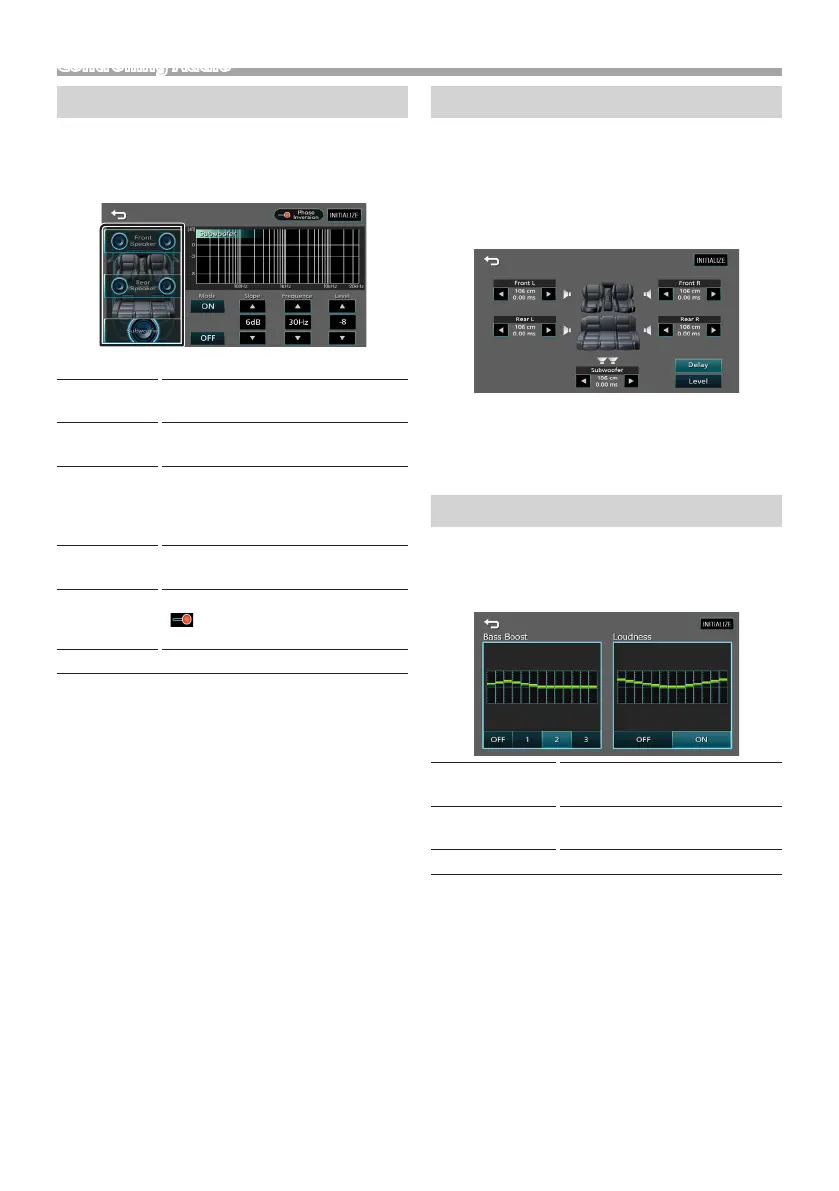
Speaker / X’over setup
1 Press the <EQ> button.
2 Touch [Speaker / X’over].
3 Touch the speaker to set up.
4 Set each item as follows.
Mode
[OFF], [ON]
[ON] : Filter adjustment.
[OFF] : Turns o the lter.
Slope
[R] [S]
Set a crossover slope.
Frequence
[R] [S]
• High Pass Filter adjustment. (When
Front or Rear is selected)
• Low Pass Filter adjustment. (When
Subwoofer is selected)
Level
[R] [S]
Adjust the gain of the front speaker,
rear speaker, or subwoofer.
Phase
Inversion
Set the phase of subwoofer output.
[ ] to shift the phase 180 degrees.
(When Subwoofer is selected)
[INITIALIZE]
To clear the adjustment.
Listening Position DTA
1 Press the <EQ> button.
2 Touch [Position / DTA].
3 Touch [Delay].
4 Touch [T] or [U] to adjust the delay time of the
selected speaker.
5 Touch [Level].
6 Touch [T] or [U] to adjust the sound level of the
selected speaker.
Sound Eect
1 Press the <EQ> button.
2 Touch [Sound Effect].
3 Set each item as follows.
Bass Boost
[OFF], [1], [2], [3]
Set the amount of bass boost
Loudness
[OFF], [ON]
Set the amount of boost of low
and high tones.
[INITIALIZE]
To clear the adjustment.



 To Next Page
 Loading...








