11
English |
Mirroring
Continued on the next page...
Mirroring
Preparation
Pair your smartphone with the unit via Bluetooth.
See Register your smartphone to the unit (P.15)
and Connect the Bluetooth device.
Ñ Compatible Android smartphone
• Android version 7.0 or later
• Bluetooth support
✎ NOTE
• This unit may not work for some Android smartphone’s.
Ñ Connecting Android smartphone
• For details about connecting Android smartphone,
see page 24 .
1 Download Mirroring App from Google Play.
Install the latest version of the Mirroring application
“Mirroring OA for JVC” on your Android.
2 Remove the cap of the USB terminal.
3 Connect the Android smartphone.
4 Launch Mirroring App on your Android
Smartphone.
Touch “OK” to start Mirroring App.
Touch “Start now” to start capturing your Android
screen.
5 Start to enjoy Mirroring.
Ñ To disconnect the Android smartphone
1 Press the <8MENU> button.
2 Touch a source other than [Mirroring].
3 Detach the Android smartphone.
Mirroring operations
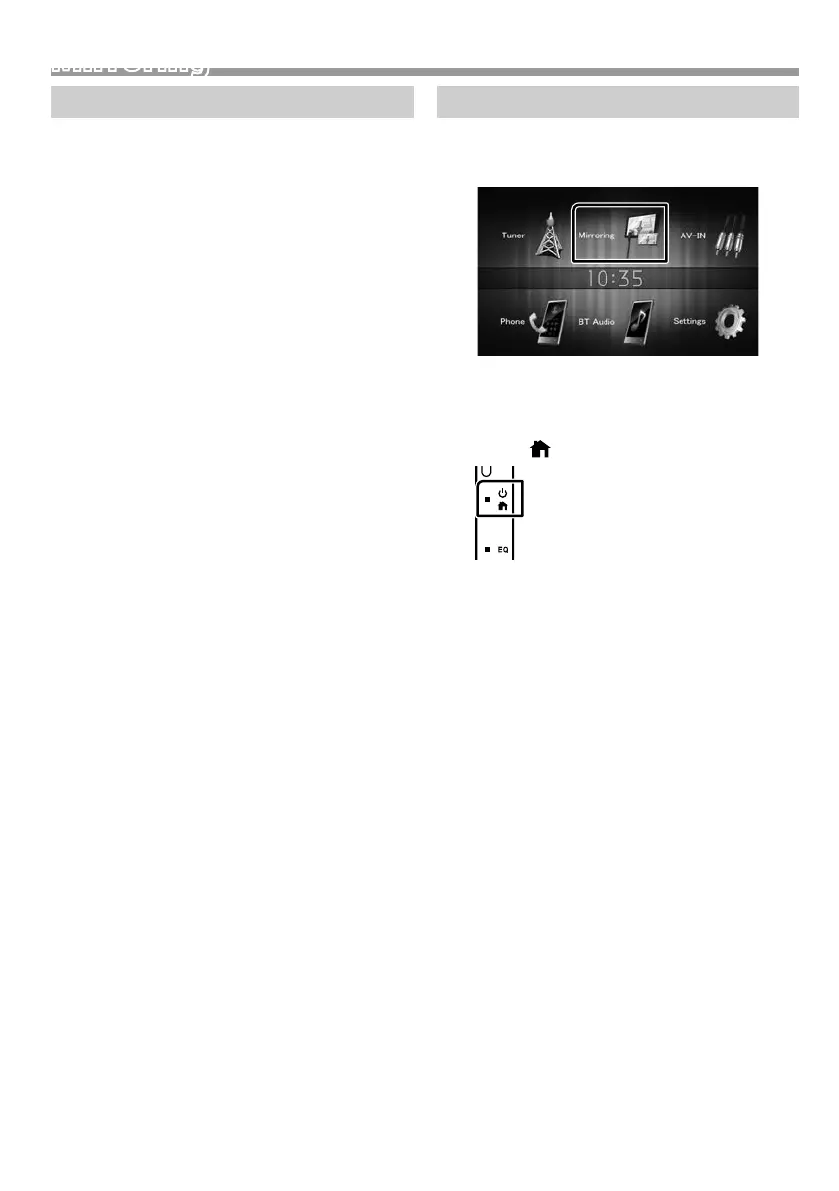
Ñ Mirroring Operation
1 Touch [Mirroring].
• You can display the same screen of the Android
device on the monitor of the unit.
Ñ To turn off the Mirroring
1 Press the < > button.
• HOME screen appears.
!B5A-3197-00_KWM.indb 11 2019/06/11 16:42



 To Next Page
 Loading...








