Basic Operations
6
Getting Started
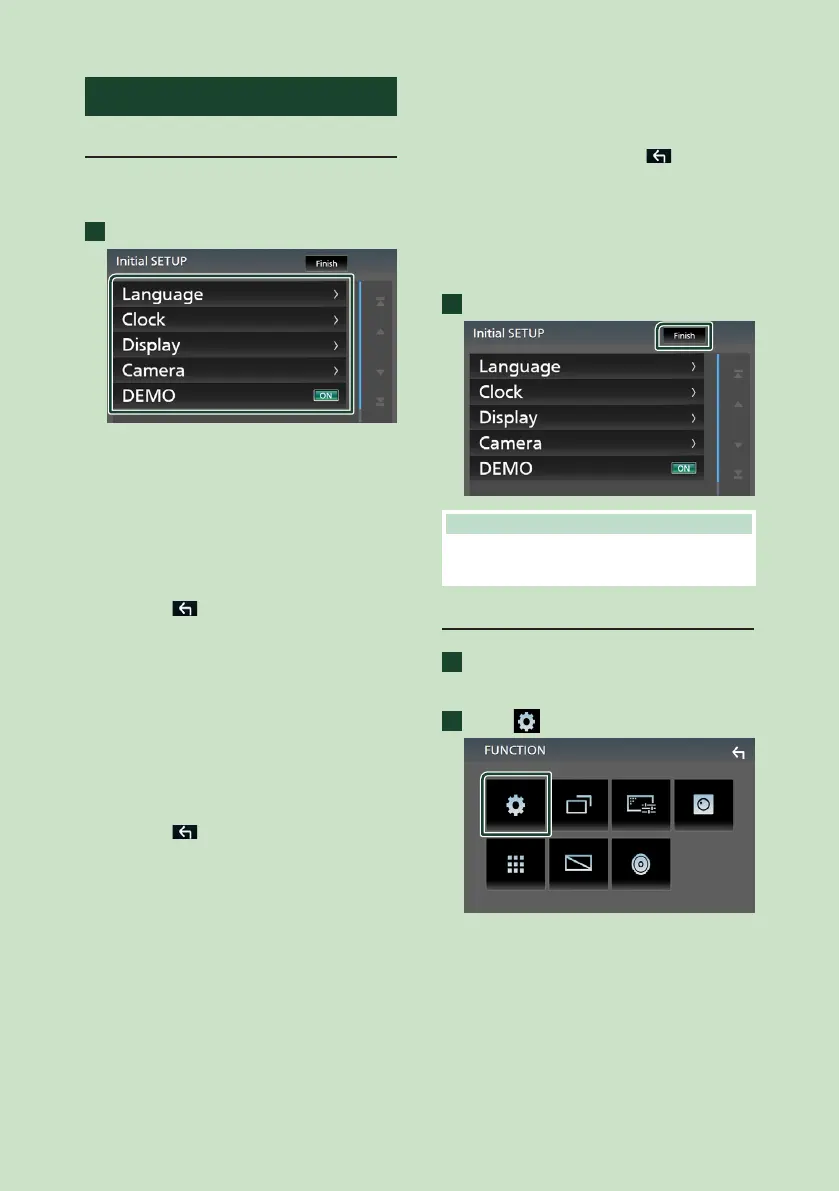
Initial setup
Perform this setup when you use this unit first
time.
1
Set each item as follows.
■ [Language]
Select the language used for the control
screen and setting items. Default is
“[American English(en)]”.
1Touch [Language].
2Touch [Language Select].
3Select the desired language.
4Touch [
].
■ [Clock]
Adjusts clock.
For detailed operation, see Calendar/clock
settings (P.6).
■ [Display]
Set the image on the screen.
1Touch [Display].
2Touch [Background].
3Select the image.
4Touch [
].
For detailed operation, see Display Setup
(P.39).
■ [Camera]
Set the parameters for the camera.
1Touch [Camera].
2Set each item and touch [
].
For detailed operation, see Camera Setup
(P.35).
■ [DEMO]
Set the demonstration mode. Default is “ON”.
1Touch [DEMO] and set [ON] or [OFF].
2
Touch [Finish].
NOTE
• These settings can be set from the SETUP menu.
See Setting Up (P.37).
Calendar/clock settings
1
Press the [FNC] button.
FUNCTION screen appears.
2
Touch [ ].
SETUP Menu screen appears.
!B5H-0357-10_JVC_KWM_K_En.indb 6 2020/04/17 16:25



 To Next Page
 Loading...








