SiriusXM®
30
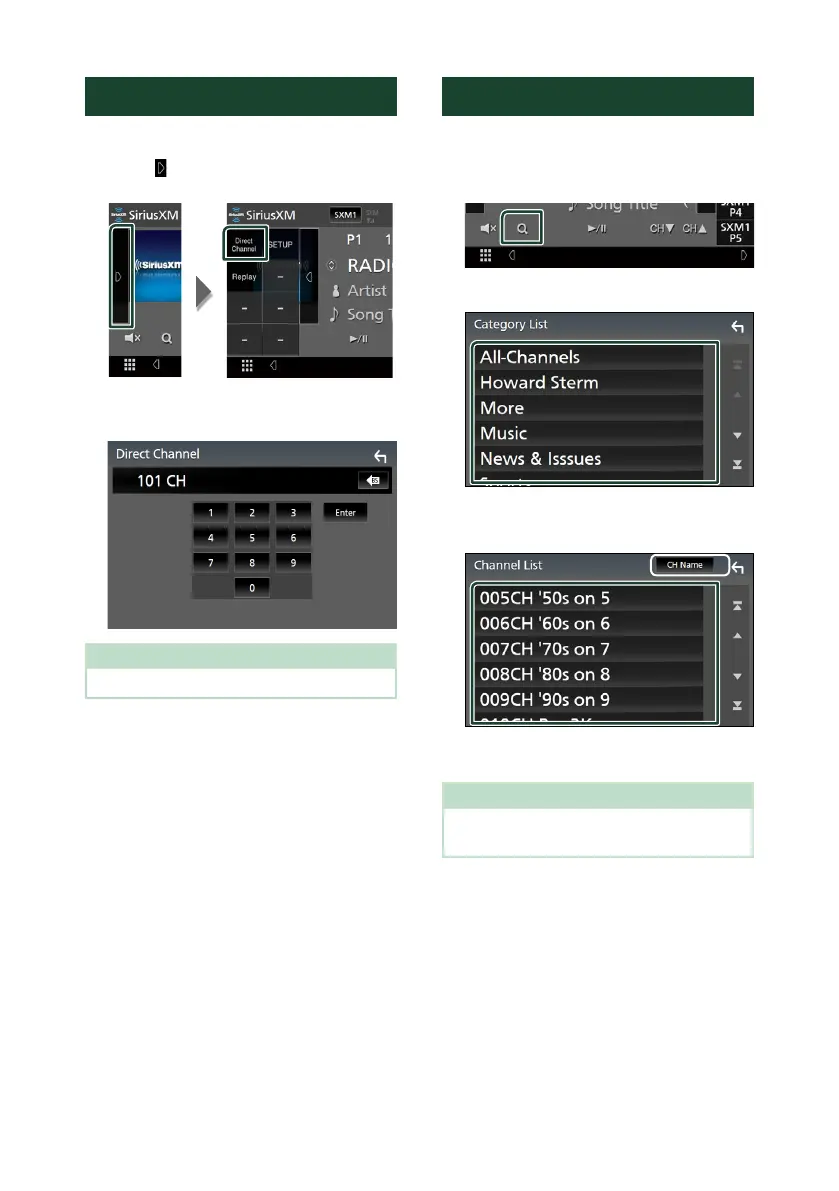
Direct search
You can tune in a channel directly.
1
Touch [ ] on the left side of the screen.
Touch [Direct Channel].
2
Enter the channel number and touch
[Enter].
NOTE
• To clear the number you entered, touch [BS].
Category/Channel search
You can specify the desired category and select
a channel.
1
Touch [1].
2
Select a category.
Channel list appears.
3
Select the desired content from the list.
*
1
*
1
Select a desired item ([Info], [CH Name],
[Artist], [Title]).
NOTE
• All channels in the selected category appear.
• Touching [All-Channels] displays all channels.
!B5H-0357-03_JVC_KWV_K_En.indb 30 2020/07/09 8:19



 To Next Page
 Loading...






