SiriusXM®
33English
When selecting [User]
This allows you to limit access to any SiriusXM
channel (Parental Lock Channel).
1
Touch [Parental Lock Channel Selection]
on the SiriusXM SETUP screen.
Parental Lock Code screen appears.
NOTE
• You need to set up a parental code
beforehand as stated in Parental code
(P.32).
2
Enter the parental code you originally
input as stated in Parental code (P.32)
and touch [Enter].
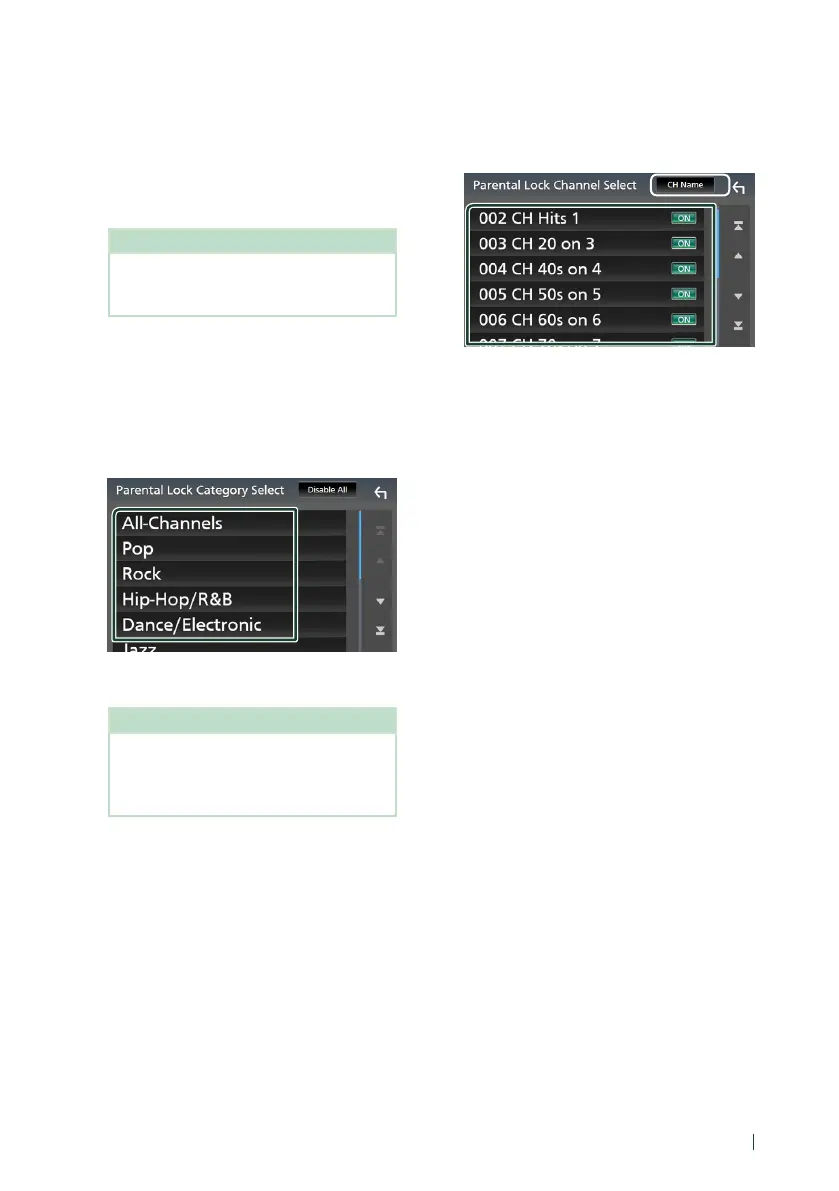
Parental Lock Category Select screen
appears.
3
Touch the desired category in the list.
Displays all channels in the selected
category.
NOTE
• Touch [All-Channels] to display all channels.
• To delete the parental lock channel setting,
touch [Disable All] and then touch [Yes] on
the confirmation screen.
4
Touch each channel on the list and set to
[ON] or [OFF].
[ON]: Locks the channel.
[OFF]: Unlocks the channel.
*
1
*
1
Select a desired item ([Info], [CH Name],
[Artist], [Title]).
Ñ Reset
1
Touch [SiriusXM Reset] on the SiriusXM
SETUP screen.
Confirmation screen appears.
2
Touch [Ye s ].
All SiriusXM settings are reset to defaults.
!B5H-0357-03_JVC_KWV_K_En.indb 33 2020/07/09 8:19



 To Next Page
 Loading...






