EasyManua.ls Logo

JVC TH-BY370A - User Manual

JVC TH-BY370A
4 pages
Print Icon
To Next Page IconTo Next Page
Loading...
Soundbar: Under the TV(if wall-mounted)/ In front of the TV
Subwoofer: On the floor, alongside the TV (or in the front corner of
the room)
RECOMMENDED PLACEMENT
2.1 CH SOUNDBAR
Question and Answer IconNeed help?

Do you have a question about the JVC TH-BY370A and is the answer not in the manual?

Summary

Performance Parameters

Recommended Placement

Soundbar placement advice: under the TV or in front of it. Subwoofer placement: on the floor, alongside the TV or in a front corner.

Important Safety Instructions

General Safety Precautions

Key safety warnings include avoiding moisture, heat, and unauthorized servicing to prevent electric shock and damage.

Product Handling and Care

Instructions for proper handling, cleaning, and disposal of batteries, emphasizing user safety and product longevity.

Remote Control Description

Remote Control Functions

Detailed explanation of remote buttons for power, playback, volume, mode selection, tuning, and special effects like 3D sound.

Front and Back Panels

Front Panel Controls

Identifies front panel buttons: STANDBY, PLAY/PAUSE, EQ, PREV, NEXT, MODE, USB.

Rear Panel Ports

Details rear panel connections: SW OUT, DC 16V IN, OPTICAL, COAXIAL, AUX INPUT, POWER SWITCH, FM ANTENNA.

Connection Schematic

Connecting Soundbar to TV

Step-by-step guide for connecting power, subwoofer, and TV via COAXIAL input for optimal audio output.

Connecting Other Devices and Operation

Audio Input Connections

Connect devices via OPTICAL, AUX, Bluetooth, or USB for audio playback, including FM radio tuning.

Basic Operation

Instructions for powering the unit on/off, using standby mode, and selecting input sources like Bluetooth, USB, Optical, AUX, FM.

Summary

Performance Parameters

Recommended Placement

Soundbar placement advice: under the TV or in front of it. Subwoofer placement: on the floor, alongside the TV or in a front corner.

Important Safety Instructions

General Safety Precautions

Key safety warnings include avoiding moisture, heat, and unauthorized servicing to prevent electric shock and damage.

Product Handling and Care

Instructions for proper handling, cleaning, and disposal of batteries, emphasizing user safety and product longevity.

Remote Control Description

Remote Control Functions

Detailed explanation of remote buttons for power, playback, volume, mode selection, tuning, and special effects like 3D sound.

Front and Back Panels

Front Panel Controls

Identifies front panel buttons: STANDBY, PLAY/PAUSE, EQ, PREV, NEXT, MODE, USB.

Rear Panel Ports

Details rear panel connections: SW OUT, DC 16V IN, OPTICAL, COAXIAL, AUX INPUT, POWER SWITCH, FM ANTENNA.

Connection Schematic

Connecting Soundbar to TV

Step-by-step guide for connecting power, subwoofer, and TV via COAXIAL input for optimal audio output.

Connecting Other Devices and Operation

Audio Input Connections

Connect devices via OPTICAL, AUX, Bluetooth, or USB for audio playback, including FM radio tuning.

Basic Operation

Instructions for powering the unit on/off, using standby mode, and selecting input sources like Bluetooth, USB, Optical, AUX, FM.

Overview

This document describes the JVC 2.1 CH SOUNDBAR, model TH-BY370A, providing performance parameters, recommended placement, safety instructions, remote control description, and connection schematics for various audio sources.

Function Description:

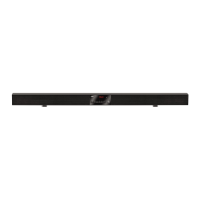
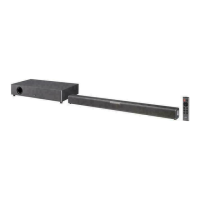
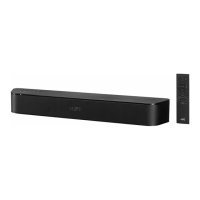
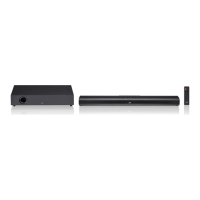
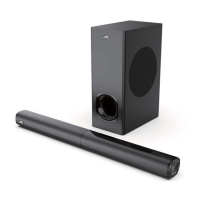
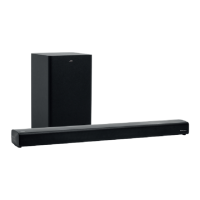
The JVC TH-BY370A is a 2.1 channel soundbar system designed to enhance audio output for televisions and other media devices. It consists of a soundbar and a separate subwoofer, providing a comprehensive audio experience with clear highs, mids, and deep bass. The system supports multiple input sources including Optical, AUX, Bluetooth, USB, and Coaxial, making it versatile for various entertainment setups. It also features an FM radio function. The soundbar is intended for indoor, household use and can be placed under a wall-mounted TV or in front of a TV, while the subwoofer is recommended to be placed on the floor, alongside the TV or in a front corner of the room.

Important Technical Specifications:

Speaker Specification:

  • Cell: Soundbar: 4 cells; Subwoofer: 1 cell
  • Frequency range (HZ) ±15: Speaker: 300~20000 Hz; Subwoofer: 20~300 Hz
  • Sensitivity (dB) (HZ) ±3dB: Speaker: 83 dB; Subwoofer: 88 dB
  • Impedance (Ω) ±20%: Speaker: 4 Ω; Subwoofer: 4 Ω
  • Recommended power (w): Speaker: 10 W; Subwoofer: 30 W
  • Main channel output power: 10W+10W (4Ω, 1KHz, 0.7% THD)
  • Bass output power: 30W (4Ω, 100Hz, 0.7% THD)
  • Main Channel frequency response: 20Hz-20KHz ± 2dB
  • SNR (Signal-to-Noise Ratio): >75dB (AFR)
  • Input Voltage: 16V ± 5%
  • Rated Power: 50W
  • Maximum operating current: 3.5A
  • Input signal source: Optical, AUX terminal, Bluetooth, USB, Coaxial
  • Distortion: <1%
  • Separation: ≥40dB
  • Dynamic Range: >90dB
  • Optical sampling frequency decoding: 8KHz-96KHz DAC: 24BIT 96KHZ Stereo

Dimensions and Weight:

  • Dimensions for sound bar: 9436770mm
  • Net weight for sound bar: 1.9kg
  • Dimensions for subwoofer: 160320265mm
  • Net weight for subwoofer: 2.7kg

Power:

  • Power adaptor input: 100-240V~50/60Hz

Usage Features:

Remote Control Functions:

The remote control provides comprehensive control over the soundbar's functions:

  • POWER: Switches the unit between ON and STANDBY mode.
  • PREV/NEXT: Plays previous/next song or chooses previous/next mode.
  • VOL-/VOL+: Reduces/increases volume.
  • MODE: Selects input source (B/T, OPT, COA, AUX, FM, USB).
  • TREBLE-/TREBLE+: Reduces/increases treble.
  • REPEAT: In USB mode, repeats a single song or all songs.
  • BASS-/BASS+: Reduces/increases bass.
  • EQ: Sound mode switch.
  • 3D: 3D sound effect switch.
  • RESET: Returns to initial default settings.
  • TUNING-/TUNING+: Manually tunes FM channels; press and hold for half auto search.
  • PLAY/PAUSE: Plays/pauses music.
  • MUTE: Mutes sound.
  • FM SCAN: Auto searches available FM channels.

Connectivity:

  • TV Connection: Connects via COAXIAL input on the soundbar to COAXIAL output on the TV.
  • Other Devices (Optical): Connects to Blu-ray/DVD players, gaming consoles via OPTICAL input.
  • Bluetooth Mode: Pairs with Bluetooth-enabled devices (e.g., smartphones, tablets) to stream audio wirelessly. The soundbar appears as "TH-BY370A" for pairing.
  • USB Mode: Connects USB memory devices (up to 32GB, formatted in FAT16/FAT32/EXFAT) to play MP3 audio files. The system automatically switches to USB mode when a USB device is plugged in.
  • AUX Mode: Connects to devices via the AUX terminal.
  • FM Radio Function: Allows tuning to FM radio stations, with options for auto-scan and manual tuning.

Operating Instructions:

  1. Power On: Turn on the power switch on the back of the soundbar. The unit enters Standby mode (red indicator).
  2. ON/STANDBY: Press the 'STANDBY' button on the soundbar or 'POWER' on the remote to switch on (blue indicator).
  3. Mode Selection: Use the 'MODE' button to cycle through input sources (Bluetooth, USB, Optical, Coaxial, AUX, FM).
  4. Bluetooth Pairing: Select Bluetooth mode, then pair with "TH-BY370A" on your device.
  5. USB Playback: Insert a USB device in USB mode.
  6. FM Radio: Select FM mode, then use 'FM SCAN' for auto-search or 'TUNING+/-' for manual tuning.

Maintenance Features:

Safety Instructions (Important for Maintenance and Longevity):

  • General Safety: Do not dismantle the product or expose it to rain/moisture. Refer servicing to qualified personnel.
  • Power Source: Always operate from a power source with the specified voltage and frequency.
  • Water Exposure: Do not immerse in water, spray with liquids, or place near water sources (bathtubs, pools, etc.). Do not place vases or liquid-filled objects near the unit.
  • Heat Sources: Keep away from radiators, heat registers, stoves, or open flames.
  • Accessories: Use only manufacturer-specified attachments/accessories.
  • Ventilation: Do not cover ventilation openings with cloths or similar items during use.
  • Damage: Do not operate with a damaged cord/plug, or if the product malfunctions or is damaged. If the supply cord is damaged, it must be replaced by the manufacturer or service agent.
  • Cleaning: Do not use harsh chemicals. Wipe clean with a dry cloth.
  • Power Plug: Always pull directly on the plug, not the cord, when removing from the outlet.
  • Batteries: Do not expose batteries to excessive heat, direct sunlight, fire. Dispose of used batteries responsibly according to local regulations.
  • Internal Access: For safety reasons, do not remove covers or attempt to access the inside of the product.
  • Children: This product is not a toy. Children should be supervised to ensure they do not play with the appliance.
  • Disposal: Do not throw used batteries in household rubbish. Dispose of them responsibly according to local regulations.

JVC TH-BY370A Specifications

General IconGeneral
BrandJVC
ModelTH-BY370A
CategorySpeaker System
LanguageEnglish

Related product manuals