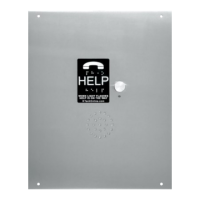
K-Tech International, Inc.
Torrington, CT USA
1-800-993-9399
ET901 Series
Programming &
Installation Guide
READ THIS BEFORE INSTALLING!
Record the phone number for the phone line. This is the number needed to call into the K-Tech phone.
Phone line must be an analog Central Office (CO), Plain Old Telephone Service line (POTS) or Analog Private Branch Exchange (PBX). All
special features such as call waiting and call forwarding should be disabled.
PHONE LINE: Must be a DTMF line with dial tone. Voltage between 24-51 volts. Amperage minimum - 20 mA.
No other equipment should be sharing the phone line, e.g. Fax, Modem, etc. (This is a safety code requirement in some areas. Check your
local code.)
Phone wire should be twisted shielded pair in the traveling cable and other places where possible. 18-22 AWG size recommended. Shielding
should be grounded at one end only.
Program Feature Number [Default Setting]
1 – Voice Message #1 [Blank] (Automatic)
2 – Voice Message #2 [Serial number]
3 – Phone Directory [Blank]
Memory Address 1, 2, 3, 4, 5 (phone number
must be at least one digit—max 30 digits)
4 – Auto shut off timer [05 minutes]
5 – Outgoing number of rings [4]
6 – Incoming number of rings [2]
7 – Enter programming mode
8 – ID number [01]
9 – Security Code [ 1 2 3 4 ]
0 – Volume [5] (1 = softest; 7 = loudest)
# – Exit programming mode or shut-off
Flat/Phillips head screwdriver
Drill for #8 sheet metal screw
1/4” nut driver (Fortress)
Wire cutter/stripper
Wire crimpers for AC terminals
TOOLS REQUIRED
NOTICE: IMPORTANT
NiCad or NiMH BATTERY
DISPOSAL INFORMATION
AVAILABLE ON OUR
WEBSITE.
MOUNTING
Sentry & Liberator (Surface Mount):
1. Remove the phone’s rear
enclosure.
2. Using the rear enclosure as a
template, mark the mounting
screw hole locations.
3. Drill holes for the #8 screws
(included).
4. Mount the back cover to the
mounting surface.
WIRING & SET-UP
1. Connect the brown and blue power supply wires to 120VAC power per local electrical code. Butt
connectors are supplied. Phone should reply “SUREphone — Power Installed.”
2. Hook up battery.
3. Hook up phone line.
4. For Dual Use Speaker units ONLY — Hook up Annunciator wires to “AUDIO IN” using the screw
terminal.
5. Check to make sure all the following are plugged in correctly: LED, speaker, button, microphone, AC
power, and battery. (Note: on OEM models, button wires are yellow. LED wires are red and black.)
6. Program and test the phone.
7. Remount dust cover to back of phone or mount phone to enclosure as required.
Battery will be fully charged 48-72 hours after the phone is installed on 120VAC.
Battery should be replaced after 5 years of use, or 5 years past the date printed on the battery.
If only a single phone number
and/or location message is
required, quick access “Hot
Keys” are provided for simple
fast programming without the
need to enter programming
mode. These keys work as long
as the security code is the
manufacturing default [1234].
1. Press the “PHONE #1” key
and follow the prompts to
program a single phone
number.
2. Press the “REC” key and
follow the prompts to record
the location announcement.
Commander (COP Mount):
1. If studs are not present, use the plate as a template
to mark the stud locations. Install studs.
2. Mount the OEM plate to the panel. Make sure the
cover is as tight to the panel as possible to avoid
feedback and oscillations (squealing) between the
microphone and speaker.
3. Connect the remote push-button (not included) to the
appropriate wire going to the phone board receptacle
marked BUTTON.
4. Install the included LED(s) or connect the remote
light to the appropriate wire going to the phone board
receptacle marked LED.
** QUICK PROGRAMMING **
Fortress (Flush Mount):
1. Determine the location for the phone’s
front plate on the car station panel or
other suitable surface.
2. Cut out an 8” high x 5.5” wide opening
to allow for the dust cover.
3. Position the unit in the hole and use the
face plate as a template to locate the
mounting screw holes.
4. Drill holes for the #8 screws (included).
5. Remove the dust cover from the back of
the Fortress plate to program.
BATTERY BUTTON
PHONE LINE
HOT KEYS
POWER
SERIAL #
MIC LED SPK
RELAY
NOTE: All phones should be grounded
when mounted on a non-metal surface.


 To Next Page
 Need help?
 General