When finished, remember on the menu select, "Setup" and "Save Configuration..."
N3FJP Software
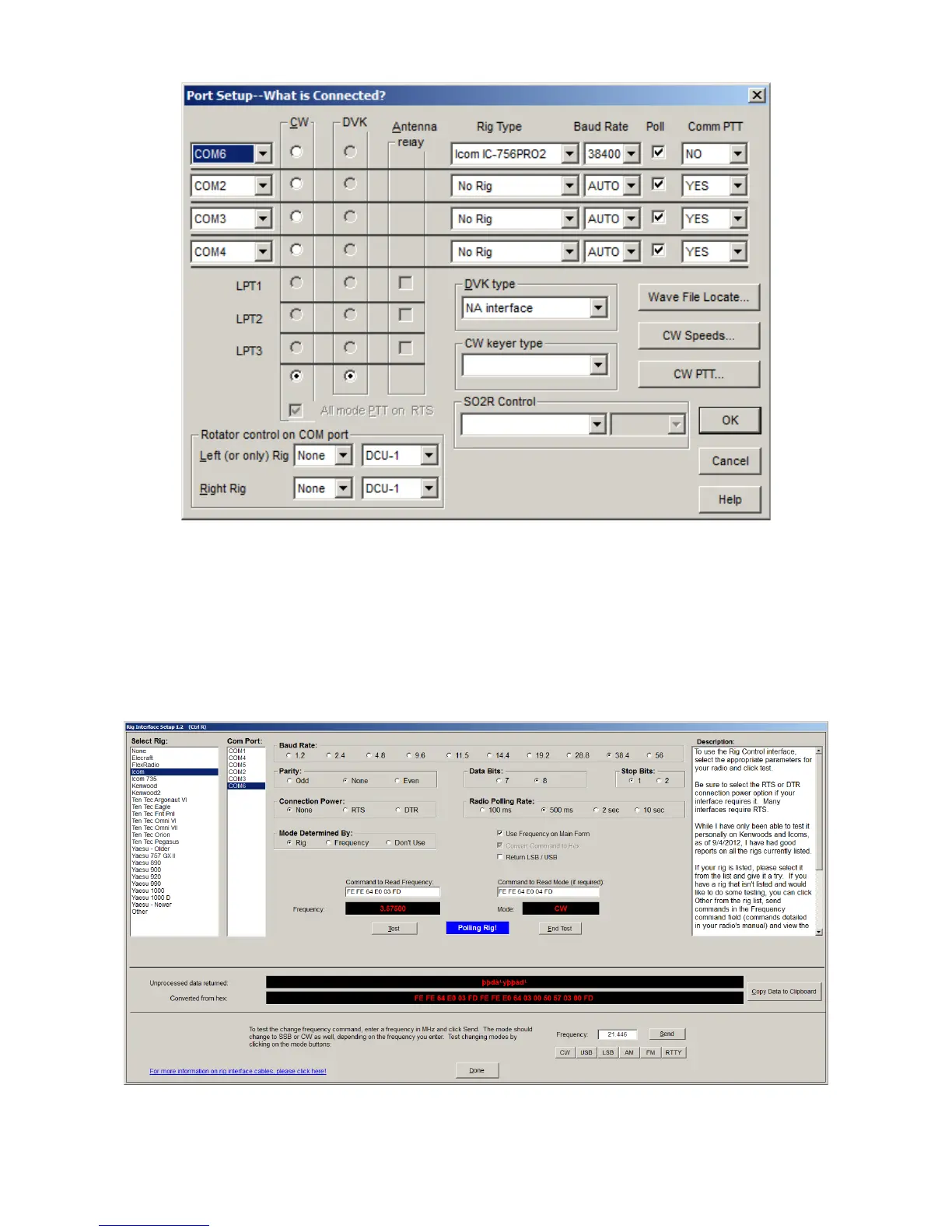
N3FJP programs does not require a pull up resistor on the Arduino "RESET" line. Start N3FJP
Contact Log version 4.2 and select "Settings" on the Menu, then select "Rig Interface". N3FJP
uses fairly generic control for Icom, with most modern radios being covered by the 'Icom" entry for
'Select Rig'.
Again select the COM port and baud rate for the computer port of the CI-V router. Select the
proper baud rate, 8 bits, no parity, 2 stop bits, connection power = NONE, and any polling rate.
Page 18


 To Next Page
 Loading...