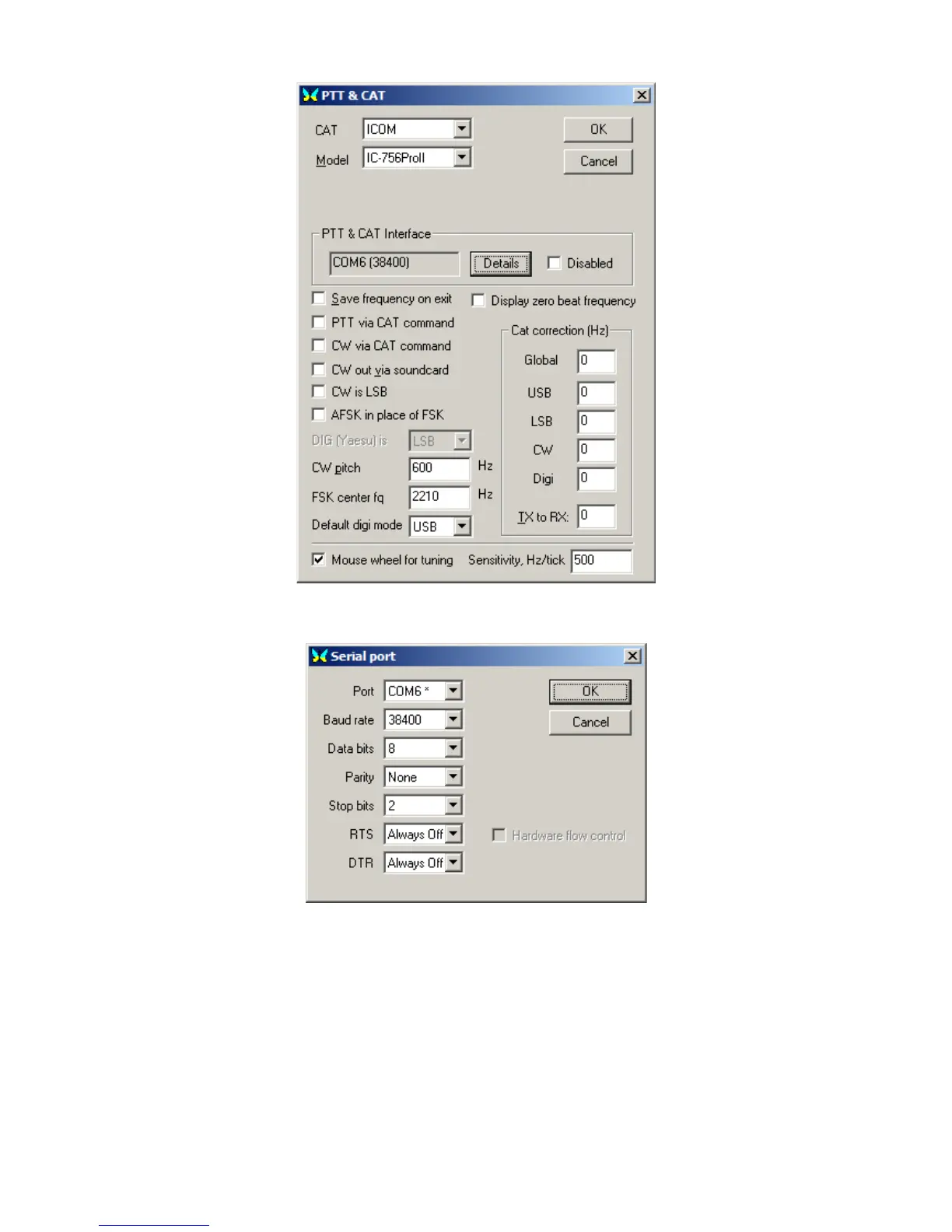
Select the proper ICOM model, set your favorite defaults, then hit 'Details' button.
Again in my configuration, the CI-V router is on COM6. Again two stops bits and RTS and DTR
are always off. You should be off and running.
STEP SIX: Configure (sync) the PW-1 Amplifier (required if used with PW-1)
First and foremost, to sync the PW-1 with your radio with the router not activated. Leave the
cables connected, but make sure no power is applied to the router.
The PW-1 owner's manual describes synchronization with a radio and with multiple radios. This
Page 26


 To Next Page