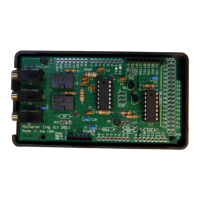
put a radio on the same port as a PW-1, There are a number of CI-V listening only devices, such
as automatic antennas or antenna tuners or band decoders. These devices can be placed on the same
port as the PW-1.
Because the CI-V router is a store and forward message router, each port can operate at a different
baud rate. All of the CI-V ports operate at the same baud rate, called the CI-V baudrate. This is so
if the router is powered down, the relays will "wire" all the ports together and communications can
continue without the advantage of collision protection. The USB port connected to the computer
can run at any rate desired. Since the router can automatically respond fast for frequency and mode
updates. All host CPU software, such as N1MM or Ham Radio Deluxe, MUST be configured to
this baud rate and it must match the computer baudrate set in the Router Configuration.
When powered down, the router connects all CI-V port together. If there are only two devices on
the CI-V side of the router, there is lesser chance of a collision that will cause harm. It is advised to
keep the router powered whenever anything connected is on. This relay bypass option provides
functionality if the router is powered from the USB and the host computer is turned off.
Configuration Settings:
Below are the main menu default values stored in the router's EEPROM:
Config CI-V Router
1 -Computer baud rate = 38400
2 -CI-V baud rate = 9600
3 -Transceive msg to other radios = True
4 -Transceive msg to USB = True
5 -USB Echo = True
6 -Subswitch = True
7 -Split OFF when QSY >1MHz = False
8 -Enable driver power level = False
9 -Enable driver power level learn = False
10-Small power table = True
11-Driver power table
12-Icom radio CI-V address UNCONFIGURED
13-Reset all to default values
Which parameter to change?
Page 30


 To Next Page
 Loading...