Available at
http://k9jm.com/CIV_Router/CIVSniffer.zip
In the zip file is a detailed description of how to use the tool. It permits one to use any CI-V
interface to make their PC into a CI-V message monitor, sniff out messages.
Transceive messages:
All Icom radios have a setting called "Transceive" on/off. When on, the radio to sends a
"transceive" message on the CI-V whenever the frequency or mode changes. For example these
messages are sent when the dial is turned or the band is changed. These messages are
used to quickly have a slave device (eg. PW-1 or SteppIR) respond to a radio status change. It also
is used by Icom radios, such that if "Transceive" is on, another radio will follow to the same
frequency, thus multiple radios can be tuned in unison, or in a "Transeive" like operation.
If you are using the CI-V router, you have other devices on the bus that need the "Transceive" to be
on in the radio. As a user, you want "Transceive" to be enabled in the radio.
Physical:
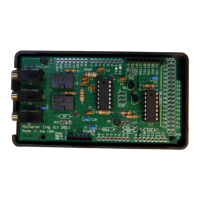
It is possible for the center lead of J2 to short to the grounded body of the USB connector of the
Arduino board. It is suggested to place electrical tape on the top of the USB connector, and bottom
of the CI-V router board near J2.
The CI-V Router board needs to be fully seated. Friction and the plastic enclosure usually keeps
them together, For addition insurance, a small tie wrap, or string between the holes near J1 can be
used.
Changing COM Ports:
Within Computer Management on your windows machine, if you click on a COM port and select
Port Settings, a window like this one appears
Page 42


 To Next Page
 Loading...