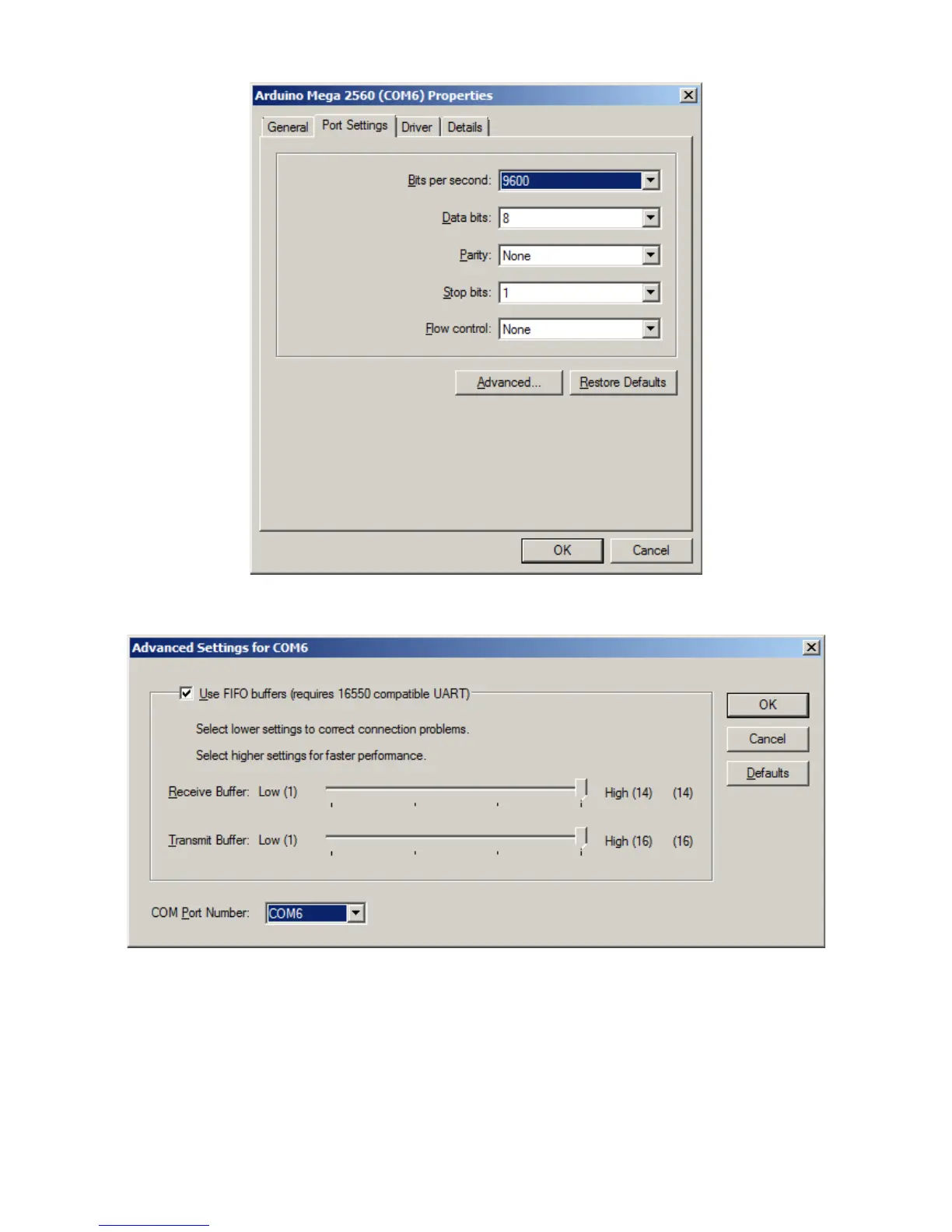
And select the desired COM Port number in the highlighted box
If the port is marked "IN USE" and it is a "virtual" COM device that is currently not in the machine,
select it to take over that device. If you have a physical COM port that you wish to re-assign to
another number, thus freeing that COM port on your machine, select the device in the device
manager, right click on "Properties" and select the "Port Settting" tab.
Page 6


 To Next Page