EasyManua.ls Logo

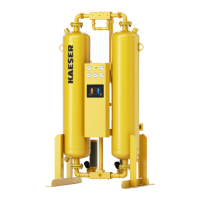
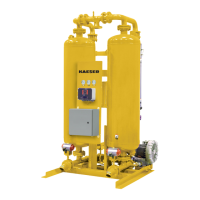
KAESER KAD Series - User Manual

KAESER KAD Series
60 pages
Print Icon
To Next Page IconTo Next Page
Loading...
SERVICE DEPARTMENT : (724) 745-3038
Contents
1. GENERAL SAFETY INFORMATION ................................ 2
2. RECEIVING, MOVING, UNPACKING .............................. 2
3. DESCRIPTION ................................................................. 3
4. INSTALLATION ................................................................. 8
5. CONTROLLERS – GENERAL .......................................... 16
6. CONTROLLER – TIMER BASED ..................................... 18
7. CONTROLLER – LEVEL 1 ............................................... 21
8. CONTROLLER – LEVEL 2 ............................................... 32
9. OPERATION ..................................................................... 49
10. MAINTENANCE ............................................................... 55
11. TROUBLESHOOTING ..................................................... 56
12. NOTES ............................................................................. 57
WARRANTY ............................................................................. 60
INSTRUCTION MANUAL
KAD SERIES
3162261 Rev. E 04/10
MODELS
RATED
FLOW
MODEL
REFERENCE
KAD 40
KAD 60
KAD 90
40 SCFM
60 SCFM
90 SCFM
40
60
90
KAD 115
KAD 165
KAD 260
115 SCFM
165 SCFM
260 SCFM
115
165
260
KAD 370
KAD 450
KAD 590
370 SCFM
450 SCFM
590 SCFM
370
450
590
KAD 750
KAD 930
KAD 1130
750 SCFM
930 SCFM
1130 SCFM
750
930
1130
KAD 1350
KAD 1550
KAD 2100
1350 SCFM
1550 SCFM
2100 SCFM
1350
1550
2100
KAD 3000
KAD 4100
KAD 5400
3000 SCFM
4100 SCFM
5400 SCFM
3000
4100
5400
PRESSURE-SWING
DESICCANT TYPE
COMPRESSED
AIR DRYERS


Questions and Answers

  • B
    beckyjohnsonJul 28, 2025
    How to troubleshoot KAESER Dehumidifier indicator lights not illuminated?
    • K
      Kelly ColemanJul 28, 2025
      If the indicator lights are not illuminated, it could be due to several reasons: there is no power to the unit, the On/Off switch is turned off, a fuse is blown, or there is a malfunction in the On/Off switch or board. To solve this, check the voltage at the terminal board, turn on the switch, replace the fuse, or replace the board.
  • J
    Jill GonzalezAug 1, 2025
    Why is there excessive purge discharged during the purge cycle on my KAESER KAD?
    • A
      Amanda ReidAug 1, 2025
      Excessive purge during the cycle can be due to several reasons. It could be that the purge flow is too high because the purge pressure is too high. Another cause may be that the inlet switching valve fails to close. For models 40 through 3000, it could be a Shuttle Valve issue; for models 4100 through 5400, the problem might be with the outlet check valve of the same tower or the purge check valves of the opposite tower failing to close. To address this, refer to Section 9 to determine the correct Purge Pressure Indicator setting. Also, verify the voltage to the pilot solenoid valve, check the pilot air pressure, and ensure proper actuator operation. Check the valve for any obstructions or seat damage. Finally, repair or replace the valve(s) as needed.
  • E
    Elizabeth Jackson DVMAug 6, 2025
    What to do if the moisture indicator turns yellow on my KAESER Dehumidifier?
    • T
      Tonya PetersAug 6, 2025
      A yellow moisture indicator, signaling an elevated outlet dew point, can occur for several reasons. The design conditions might be exceeded, or the desiccant could be spent or contaminated, for example, with oil, or saturated with water. In such cases, replace the desiccant. You may also operate at a reduced flow to reactivate desiccant beds until the desired outlet dew point is achieved.
  • E
    emilypalmerAug 10, 2025
    What causes premature saturation of desiccant in KAESER Dehumidifier?
    • C
      Crystal FranklinAug 10, 2025
      Premature desiccant saturation can occur due to insufficient purge flow because the purge pressure is too low. Another cause might be incomplete tower depressurization, indicated by tower pressure greater than 2 psig, potentially due to clogged mufflers. It can also be caused by incomplete tower depressurization if the purge/repressurization valve fails to open, insufficient purge time due to incorrect controller settings or a faulty controller. To resolve this, replace muffler inserts. Also, verify voltage to the pilot solenoid valve and check the pilot air pressure (60-120 psig required), and verify proper actuator operation.
  • M
    mcgeedanielAug 14, 2025
    Why does my KAESER Dehumidifier tower fail to repressurize to line pressure?
    • D
      Dustin CollinsAug 15, 2025
      A tower failing to repressurize to line pressure may be due to the purge/repressurization valve failing to close, which results in air loss from the mufflers during the tower repressurization portion of the cycle. Another potential cause is insufficient purge flow because the purge pressure is too low. Verify the removal of voltage to the pilot solenoid valve and ensure proper actuator operation. Check the valve for obstruction or seat damage.
  • J
    Joshua CampbellAug 19, 2025
    What causes excessive desiccant dust downstream in my KAESER KAD Dehumidifier?
    • M
      Miss Priscilla OrtegaAug 19, 2025
      Excessive desiccant dust downstream can be caused by fluidization of the desiccant bed, which happens when design conditions for maximum rated flow are exceeded. It can also occur due to rapid repressurization of the offstream tower caused by a faulty timer or insufficient purge flow resulting from low purge pressure.
  • P
    Paul BonillaAug 23, 2025
    How to fix switching failure alarm on KAESER KAD?
    • M
      Michele PerryAug 23, 2025
      A switching failure alarm (Level 1 & Level 2 Controllers only) can be triggered by faulty pressure switches or the control board. It may also occur if the offstream tower did not depressurize in time and/or below 10 psig, or if the offstream tower did not repressurize in time and/or above 10 psig. Replace the components.

Summary

1. GENERAL SAFETY INFORMATION

1.1 Pressurized Devices

Safety precautions for pressurized equipment.

1.2 Electrical

Electrical safety requirements for installation and operation.

1.3 Breathing Air

Information regarding the suitability of air for breathing.

1.4 Noise

Caution regarding dryer operation without mufflers.

1.5 High Velocity Air

Caution regarding high velocity air during depressurization.

2. RECEIVING, MOVING, UNPACKING

2.1 Receiving

Procedures for checking shipment for damage upon arrival.

2.2 Moving

Safety advice for moving the equipment.

2.3 Unpacking

Procedures for checking for concealed damage.

3. DESCRIPTION

3.1 Dryer Function

Explains the dual tower regenerative desiccant dryer operation principle.

3.2 Automatic Purge Saving System

Describes the system for saving energy (purge air) at reduced loads.

3.3 Description of Operation - Dryer

3.3.1 Models 40 to 3000 w; Shuttle Valve

Details the operational flow for specific models using shuttle valves.

3.3.2 Models 4100 to 5400 w; Check Valves

3.3.3 Models 40 to 450 (High Pressure Option)

3.4 Automatic Purge Saving System

4. INSTALLATION

4.1 Location in the compressed air system

Guidance on selecting an optimal location within the air system.

4.1.1 Aftercooler;Separator

Requirements for inlet air temperature cooling.

4.1.2 Receiver(s)

Role of air receivers in the system.

4.1.3 Prefilter(s)

Importance and types of pre-filters.

4.1.5 Afterfilter(s)

Need for downstream filtration for air purity.

4.2 Physical Location

Guidelines for dryer placement and access.

4.3 Minimum & Maximum Operating Conditions

Checking dryer specs against operating conditions.

4.4 Maximum Operating Pressure (MOP)

Information on standard and optional maximum pressures.

4.5 Minimum Operating Pressures

4.6 Maximum Compressed Air Temperature at Dryer Inlet

4.7 Ambient Temperatures

4.11 Electrical Connections

4.12 Provisions for Purge Exhaust

5. CONTROLLERS - GENERAL

5.1 Overview

General description of the solid-state dryer controller and its levels.

6. CONTROLLER - TIMER BASED

6.1 Reference Figures - Timer Based Controller

Lists figures related to the Timer Based Controller.

6.2 Connections - Timer Based Controller

Details connections for the Timer Based Controller.

7. CONTROLLER - LEVEL 1

7.1 Reference Figures - Level 1 Controller

Lists figures pertaining to the Level 1 Controller.

7.2 Connections - Level 1 Controller

Details connection information for the Level 1 Controller.

7.3 Control Board Jumpers - Level 1

7.3.1 Jumper J1 - Maximum Operating Pressure

Function of Jumper J1 for pressure selection.

7.3.2 Jumper J2 - Common Alarm

Function of Jumper J2 for common alarm configuration.

7.3.3 Jumper J3 - Service Reminder Interval

Function of Jumper J3 for service reminders.

7.3.4 Jumper J4 - Power Recovery Mode

Function of Jumper J4 for power recovery.

7.4 Front Panel Overlay - Level 1 Controller

7.4.1 Front Panel LEDs

7.4.2 Front Panel Switches

7.4.2.1 Dryer On; Off Switch

Function of the dryer on/off switch.

7.4.2.2 Operating Mode Selector Switch

Function of the operating mode selector switch.

7.4.2.3 Percent Energy; Purge Savings Selector Switch

Function of the energy/purge savings selector switch.

7.4.2.4 Reset; Manual Advance Switch

Function of the reset/manual advance switch.

7.4.3 Switching Failure Alarms

8. CONTROLLER - LEVEL 2

8.1 Reference Figures - Level 2 Controller

Lists figures pertaining to the Level 2 Controller.

8.2 Connections - Level 2 Controller

Details connection information for the Level 2 Controller.

8.3 Control Board Jumpers - Level 2

8.3.1 Jumper JP1 - Maximum Operating Pressure

Function of Jumper JP1 for pressure selection.

8.3.2 Jumper JP2 - Electric Drains

Function of Jumper JP2 for electric drains.

8.3.4 Jumper JP6 Common Alarm

Function of Jumper JP6 for common alarm configuration.

8.4 Front Panel Overlay - Level 2 Controller

8.6 Front Panel Operation

1. Program Mode

Details the Program Mode for controller setup.

8.7 Program Mode

Entering and exiting Program Mode.

8.8 Setup Mode

8.8.1 Setup Mode Screen 1 - Select the dew point class.

8.8.2 Setup Mode Screen 2 - Select the cycle type.

8.8.3 Setup Mode Screen 3 - Test the drains.

8.9 Alarm & Service Mode

8.9.1 Alarm messages

Explains how alarm messages are displayed.

8.10 Display Mode

8.10.2 Display Mode Screen 2 - Energy savings.

Displays energy savings percentage.

8.10.3 Display Mode Screen 3 A - Service reminder (filters).

Displays filter service reminder status.

8.10.4 Display Mode Screen 3 B - Service reminder (desiccant).

Displays desiccant service reminder status.

8.11 Test Mode

Test Mode Screens Overview

Details screens for Test Mode steps 1 through 8.

9. OPERATION

9.1 Start-up Procedures

Step-by-step guide for starting up the dryer.

9.2 Operational Check Points

Routine Checks

Covers power, moisture indicator, purge pressure, alarms, LEDs, and gauges.

Process Valve Verification

Verifying valve operation and sequencing.

9.3 Operating Sequence

9.4 Dryer Shut Down

9.6 Operating Parameters

Pressure and Temperature Limits

Max/Min pressures and max temperature specifications.

Ambient Temperature Limits

Minimum and maximum ambient temperature limits.

9.7 Maximum Inlet Flow Capacity

9.8 Purge and Outlet Flows

Flow Calculations

Covers max purge, average purge, min outlet, and average outlet flows.

9.9 EXAMPLE

10. MAINTENANCE

10.1 Desiccant Replacement

Procedures and frequency for desiccant replacement.

10.2 Purge Mufflers

Maintenance of purge mufflers.

10.3 Valves

Checking valves for leaks and operation.

10.4 Pilot Air Filter Element Replacement

Procedure for pilot air filter replacement.

11. TROUBLESHOOTING

Common Troubleshooting Scenarios

Covers issues like no power, moisture indicator, desiccant saturation, tower repressurization, purge flow, dust, and switching alarms.

12. NOTES

WARRANTY

KAESER KAD Series Specifications

General IconGeneral
ModelKAD Series
Noise LevelVaries by model
WeightVaries by model
DimensionsVaries by model
CategoryDehumidifier
Air FlowVaries by model
Power SupplyVaries by model
Operating PrincipleAdsorption

Related product manuals