EasyManua.ls Logo

Kaiweets KC602 - Continuity Test; Performing Continuity Test

Kaiweets KC602
24 pages
Print Icon
To Next Page IconTo Next Page
To Previous Page IconTo Previous Page
Loading...
Continuity
test
01))
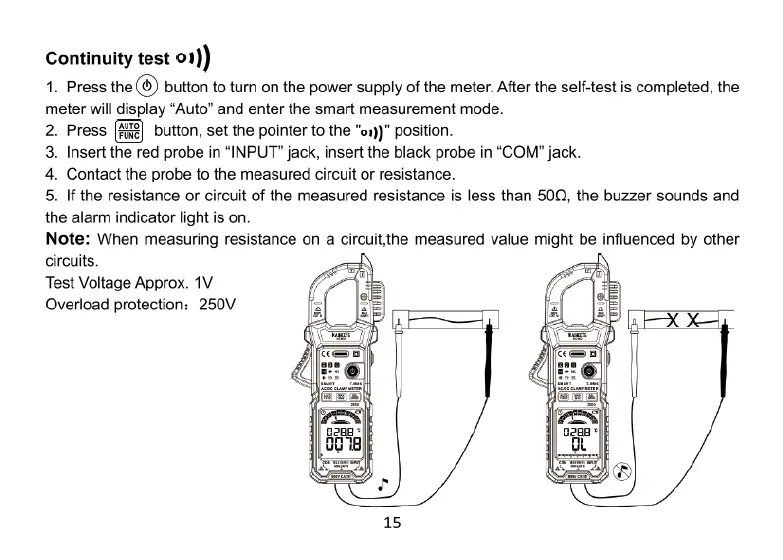
1.
Press
the(®)
button
to
turn
on
the
power
supply
of
the
meter.
After
the
self-test
is
completed,
the
meter
will
display
“Auto”
and
enter
the
smart
measurement
mode.
2.
Press
button,
set the
pointer
to
the
"es))"
position.
3.
Insert
the
red
probe
in
“INPUT"
jack,
insert
the
black
probe
in
“COM”
jack.
4.
Contact
the
probe
to
the
measured
circuit
or
resistance.
5.
If
the
resistance
or
circuit
of
the
measured
resistance
is
less
than
500Q, the
buzzer
sounds
and
the
alarm
indicator
light
is
on.
Note:
When
measuring
resistance
on
a
circuit.the
measured
value
might
be
influenced
by
other
circuits.
Test
Voltage
Approx.
1V
Overload
protection:
250V