EasyManua.ls Logo

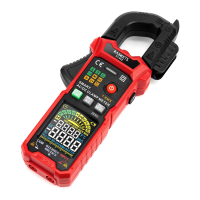
Kaiweets KC602 - Function Buttons; AUTO;FUNC Button Operation; MAX;MIN Value Tracking; ZERO;SEL;Inrush Function

Kaiweets KC602
24 pages
Print Icon
To Next Page IconTo Next Page
To Previous Page IconTo Previous Page
Loading...
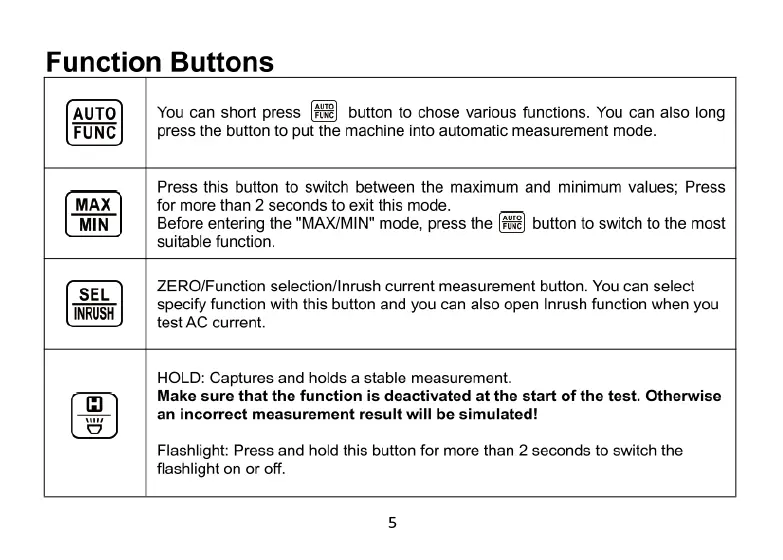
Function
Buttons
button
to
chose
various
functions.
You
can
also long
machine
into
automatic
measurement
mode.
You
can
short
press
press
the
button
to
p
Press
this
button
to
switch
between
the
maximum
and
minimum
values;
Press
for
more
than
2
seconds
to
exit
this
mode.
Before
entering
the
"MAX/MIN"
mode,
press
the
button
to
switch
to
the
most
suitable
function.
ZERO/Function
selection/Inrush
current
measurement
button.
You
can
select
specify
function
with
this
button
and you
can
also
open
Inrush
function
when
you
testAC
current.
HOLD:
Captures
and
holds
a
stable
measurement.
Make
sure
that
the
function
is
deactivated
at
the
start
of
the
test.
Otherwise
an
incorrect
measurement
result
will
be
simulated!
Flashlight:
Press
and
hold
this
button
for
more
than
2
seconds
to
switch
the
flashlight
on
or
off.