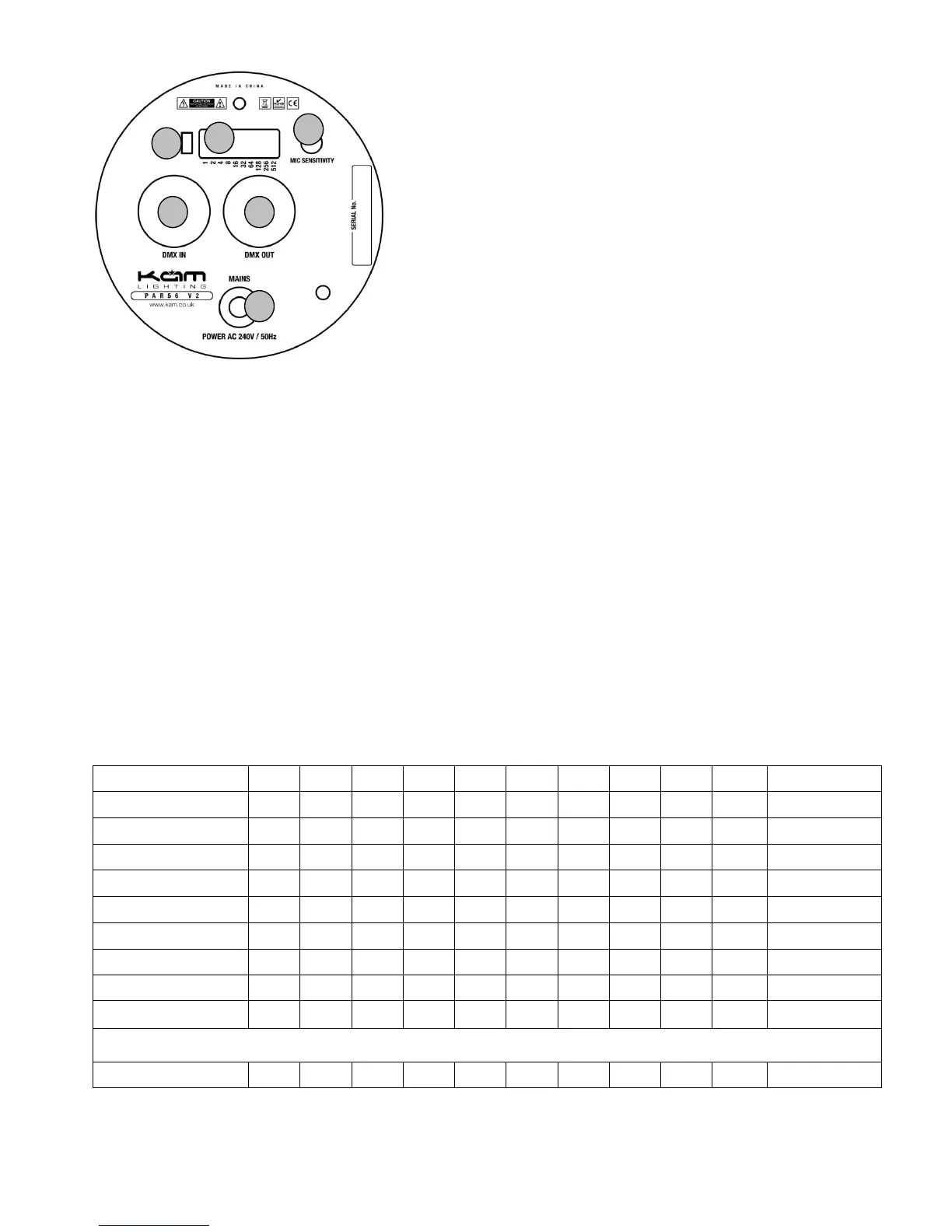
Rear panel
1. DMX in
2. DMX out
3. DMX address dip switches
4. Mic sensitivity
5. Power mains
6. Sound / auto switch (see dipswitch settings)
Using the preset functions without a DMX controller
Using stand alone settings via dipswitches
Auto / sound mode
Set dipswitch 8 to the on position, then using the sound / auto switch (6) toggle between auto or sound mode
Master / slave
To link several units together using a 3pin DMX lead
Set the first unit as the master
Choose one of the functions from the chart below. i.e. auto mode
Set all other units to slave mode, dipswitch 10 on only.
1=ON 0=OFF X=No function


 To Next Page