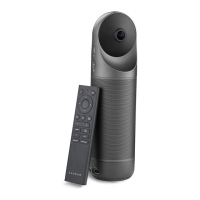
Need help?
Do you have a question about the KanDao Meeting S and is the answer not in the manual?
Connect the Kandao Meeting S to a TV or displayer for viewing and operation.
Connect the Kandao Meeting S to a computer for use with conferencing software.
Read and follow all instructions and warnings carefully for safe operation.
Critical safety information regarding electrical shock, fire, and device handling.
Handle the camera lens carefully to avoid scratches; scratches are not covered by warranty.
 General
| Field of View | 180° |
|---|---|
| Video Compression | H.264 |
| Speaker | Built-in |
| Focus | Fixed |
| Resolution | 1920x1080 |
| Connectivity | Wi-Fi, Ethernet |
| Power Supply | 5V/2A |
| Video Output | USB |
| Microphones | omnidirectional microphones |
| Audio | Built-in 360° omnidirectional microphones and loudspeaker |
| Sensor | 1/2.7 inch CMOS |

 To Next Page